
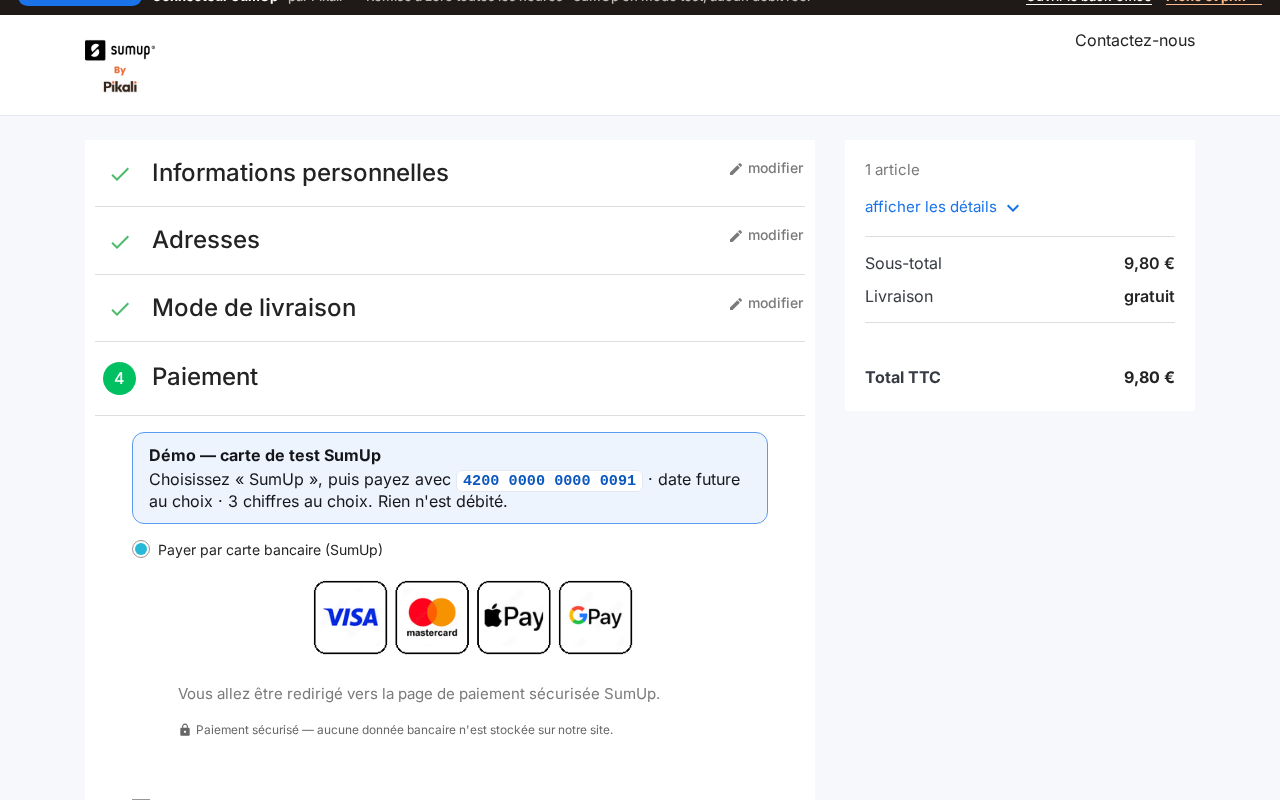
Cards, Apple Pay, Google Pay
The cards your SumUp account accepts. On the SumUp payment page, Apple Pay and Google Pay appear automatically when the customer's device supports them.
A module that connects your shop to your SumUp merchant account: cards, Apple Pay and Google Pay in the checkout, orders created even if the customer closes their browser before the end, and one-click refunds from the order page. Try it on the demo shop.
The cards your SumUp account accepts. On the SumUp payment page, Apple Pay and Google Pay appear automatically when the customer's device supports them.
SumUp's secure payment page (recommended), or a SumUp card form embedded in your checkout. Either way, card data is entered at SumUp and never goes through your server.
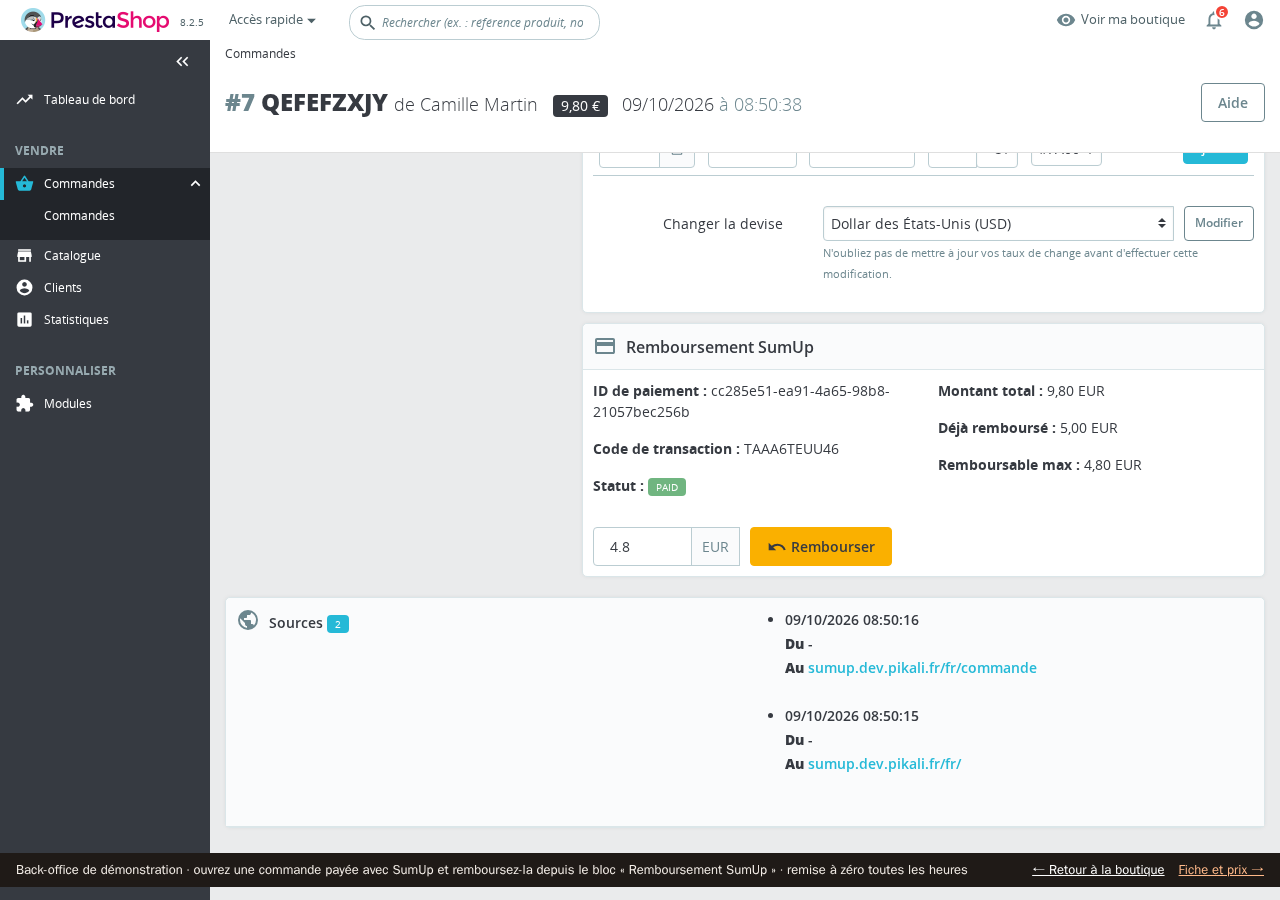
A “SumUp refund” block on the order page: amount paid, already refunded and refundable. One click is enough; after a full refund the order switches to “Refunded” and the customer gets the usual email.
For every payment SumUp notifies your shop: the order is created even if the customer closes their browser before coming back. Each notification is checked directly with SumUp before being used. Nothing to set up at SumUp.
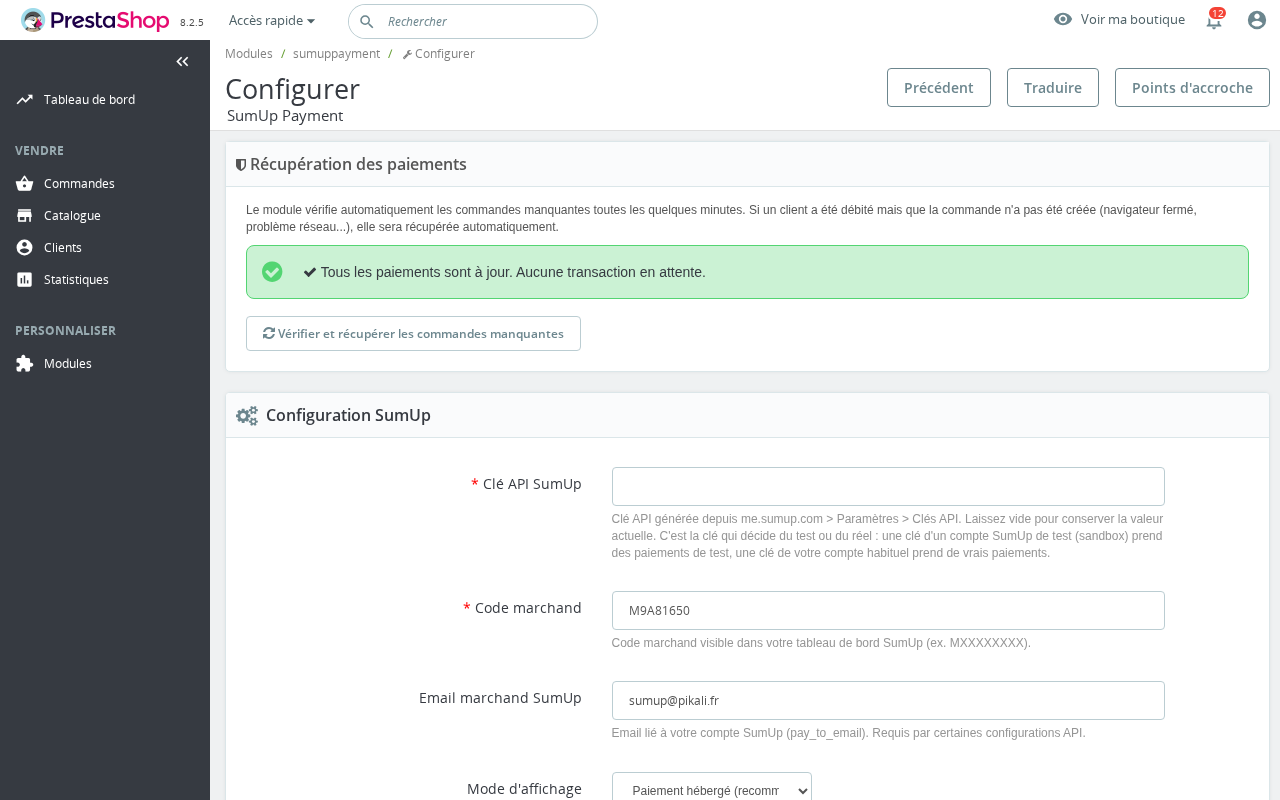
The module watches pending payments and creates the order of any successful payment that has none. The settings page lists them, with a button to run the check by hand.
Paste your SumUp key and merchant code, then “Test connection”. For your trials, use the key of a SumUp test account: no real charge. Incidents are written to the standard PrestaShop log.
In multistore mode, each store has its own settings and can take payments on a different SumUp account.
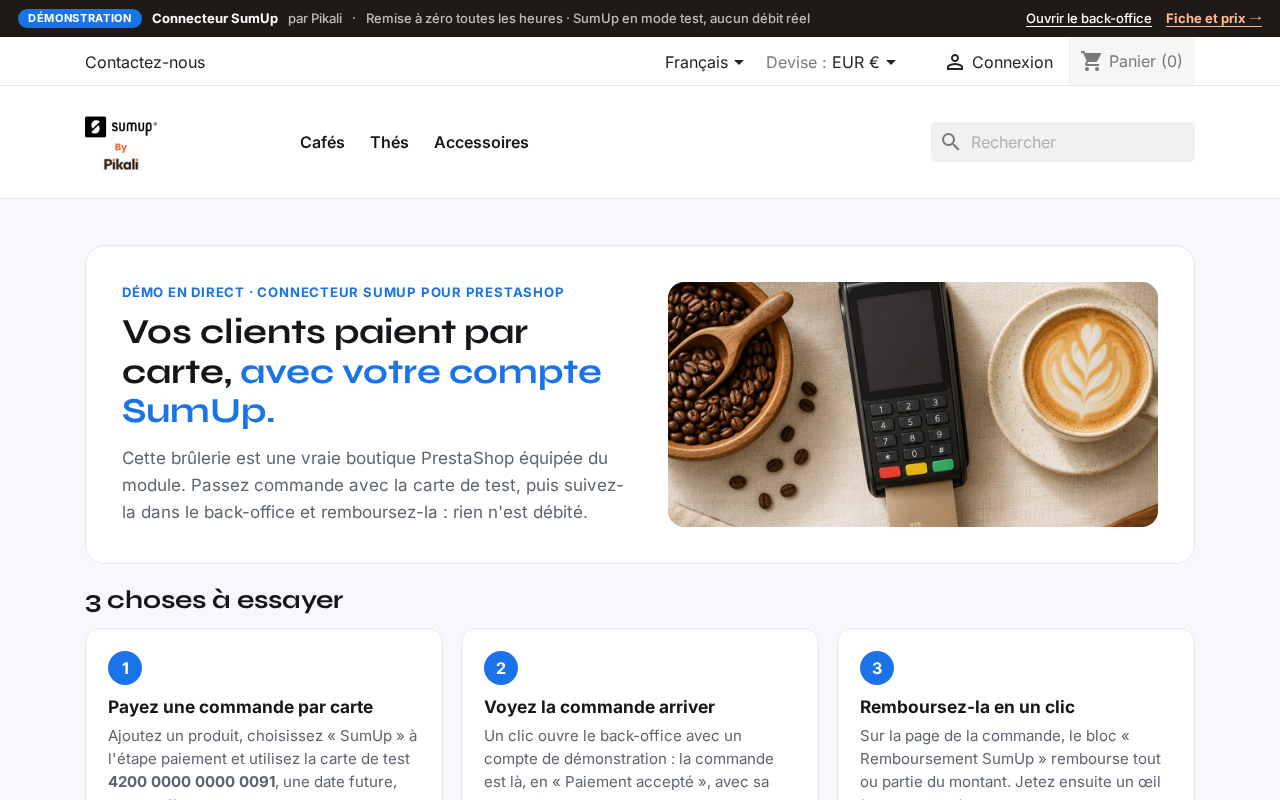
A complete demo shop, online, with the plugin installed and configured.
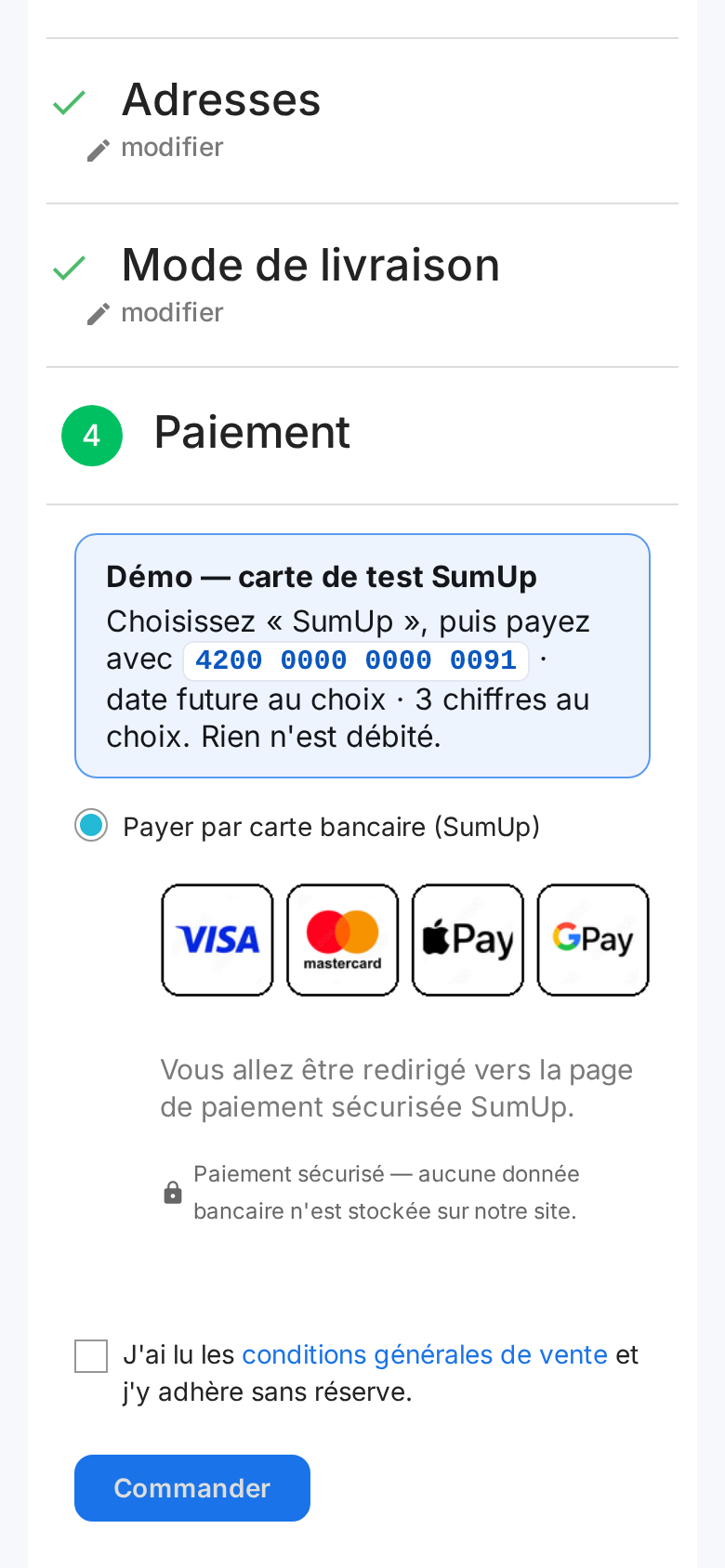
To sign in : One-click back office: https://sumup.dev.pikali.fr/demo-login/ (restricted demo account, SumUp settings locked). Test card: 4200 0000 0000 0091, any future date, any 3 digits.
PrestaShop 8.2, module 1.0.59, SumUp in test mode (Pikali sandbox account), no emails sent, FR + EN, noindex, reset every hour.
You need a verified SumUp merchant account and an API key with the “payments” scope. That scope sometimes has to be enabled by SumUp support.
Fees are those of your SumUp contract: the module adds none, and we take nothing on your sales.
Your shop must run over HTTPS, as for any payment module; it is also what lets SumUp notify your shop.
No instalments and no subscriptions: one payment per order.
Tested on PrestaShop 8.2 and 9.1 (installation checked on 8.1 and 9.0). The module installs from PrestaShop 1.7.6, but has not been tested on the 1.7 branch.
Interface in French and English.
For PrestaShop shops that already take in-store payments with SumUp, or that want a payment method with no monthly subscription. Support in French and English by email, module published by Pikali.
Version 1.0.59 · 118 Ko · AFL-3.0 (Academic Free License) licence
€69.99 excl. VAT
i.e. €83.99 incl. VAT
VAT: 20% for French businesses, reverse charge for EU businesses with a verified VAT number, not applicable outside the EU.
Sign in to buyA business account is required to buy.
Licence per shop (1 licence = 1 shop) and per platform: one shop on PrestaShop and one on WooCommerce need two licences. One-off purchase, no time limit on use.
12 months of updates and support included from the purchase (current version downloadable from your client area, new versions announced by e-mail).
Then an optional “Entretien” (care plan) at 20% of the licence price per year (€14.00 excl. VAT per year): updates and support extended for one year, with no catch-up for past years. Without it, the module keeps working.
Code released under the free AFL-3.0 (Academic Free License) licence: the rights that licence grants on the code remain whole; the Pikali licence covers the use in your shop, the updates and the support.
Support by e-mail at contact@pikali.fr.
Four steps, then paste your SumUp key into the module configuration.
From your Pikali client area, right after purchase. Do not unzip it.
In the PrestaShop admin: Modules → Module Manager, then Upload a module at the top right.
Drag the ZIP file into the window. PrestaShop installs the module by itself. No Pikali key to enter: the module works as soon as it is active.
Click Configure: every setting is explained on the module page.
It is tested on PrestaShop 8.2 and 9.1, and its installation is checked on 8.1 and 9.0. Payment and refund are verified for real (in SumUp test mode) on the demo shop, on PrestaShop 8.2. It installs from 1.7.6, but the 1.7 branch has not been tested.
Yes: on the demo shop you can pay with a test card, see the order arrive in the back office and refund it. Nothing is charged.
No. It is entered and processed by SumUp, on its payment page or in its embedded form.
In your SumUp account, under Settings → API keys: create a key with the “payments” scope and copy it at once, it is only shown once.
The key is incomplete or lacks the “payments” scope. Generate a new key with that scope; if it is not offered, SumUp support enables it.
The key decides: test with the key of a SumUp test account (sandbox), then replace it with the key of your normal account. Then make a small real payment and refund it from the order.
SumUp notifies your shop of the payment and the order is created anyway. There is nothing to declare at SumUp: the module takes care of it for every payment.
One-off purchase, immediate download. Paste your SumUp key and your shop takes payments. Not convinced yet? Try the demo.
Get the module