
The link on every page
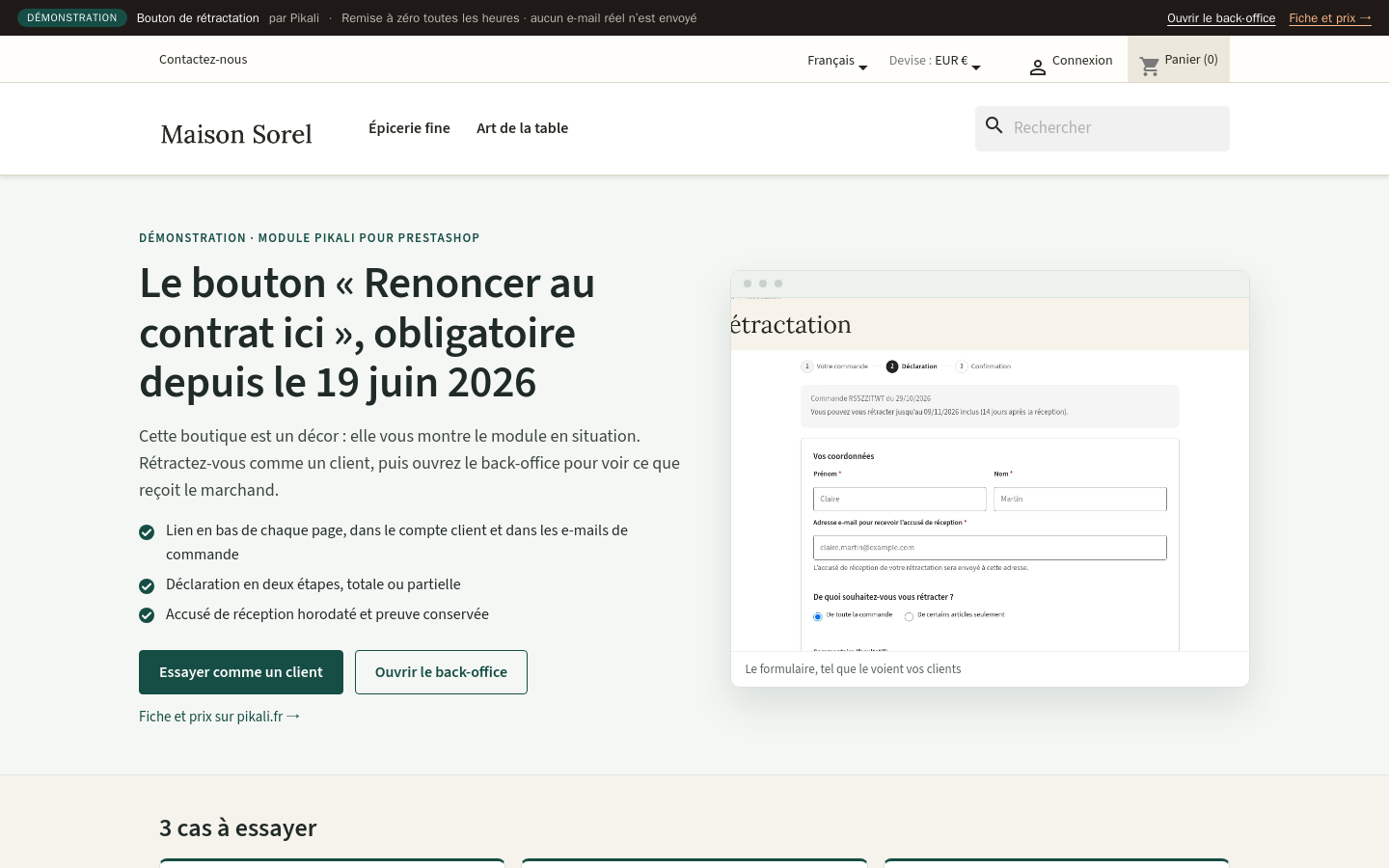
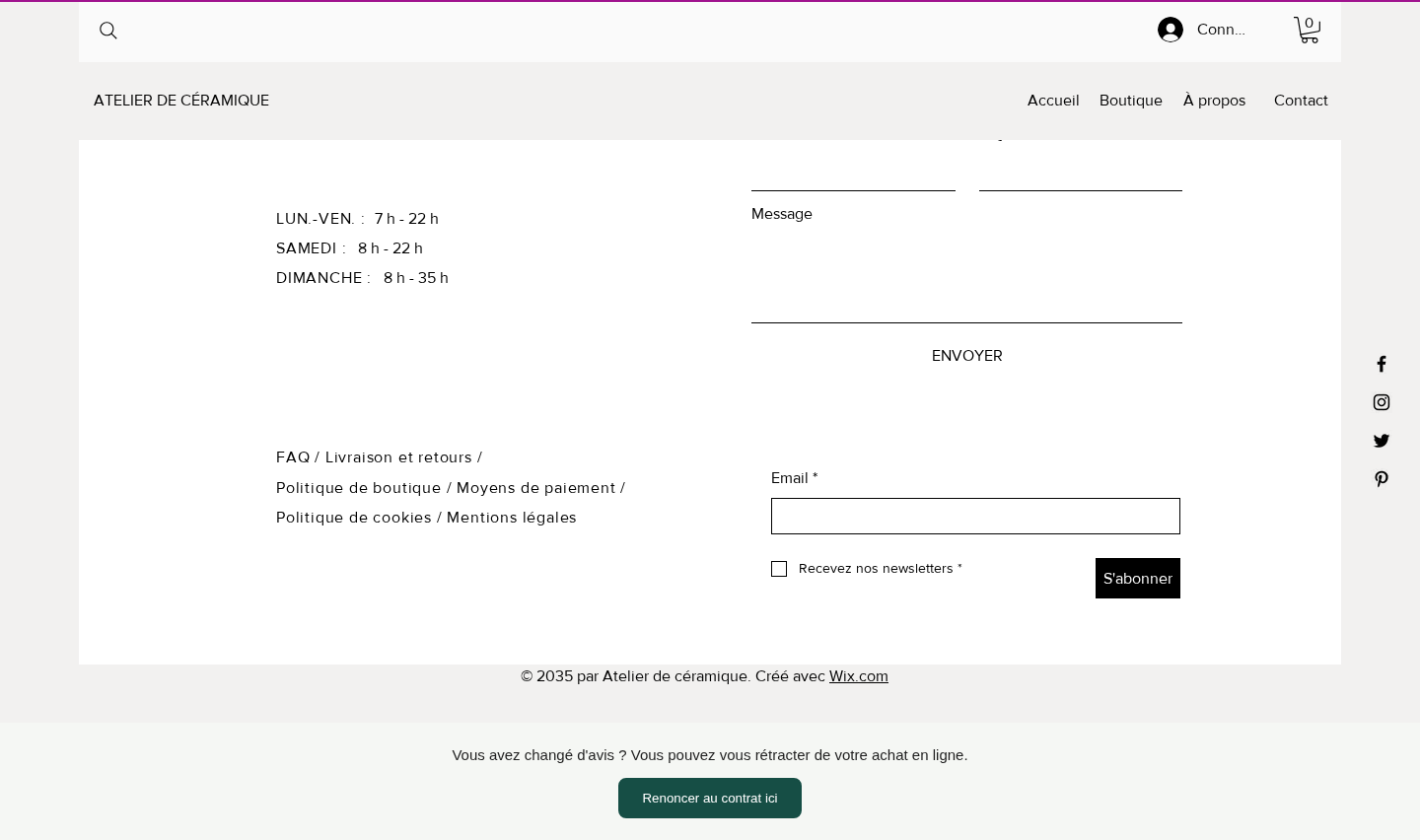
"Withdraw from contract here" appears at the bottom of every page of your shop, with nothing to paste or code. Extra placements specific to each platform are listed in its edition.
Since 19 June 2026, consumers must be able to withdraw online and receive an immediate acknowledgement. Terms and the model form are no longer enough. The module installs the complete function and leaves every refund decision to you.
Bouton de rétractation is an e-commerce module published by Pikali, available for PrestaShop, WooCommerce and Wix. Since 19 June 2026, consumers must be able to withdraw online and receive an immediate acknowledgement. Licence: €79.00 excl. VAT (€94.80 incl. VAT) per shop, for the platform of your choice, 12 months of updates included, no subscription required. Try it first on its live demo.
The same features in every edition: PrestaShop, WooCommerce and Wix.
"Withdraw from contract here" appears at the bottom of every page of your shop, with nothing to paste or code. Extra placements specific to each platform are listed in its edition.
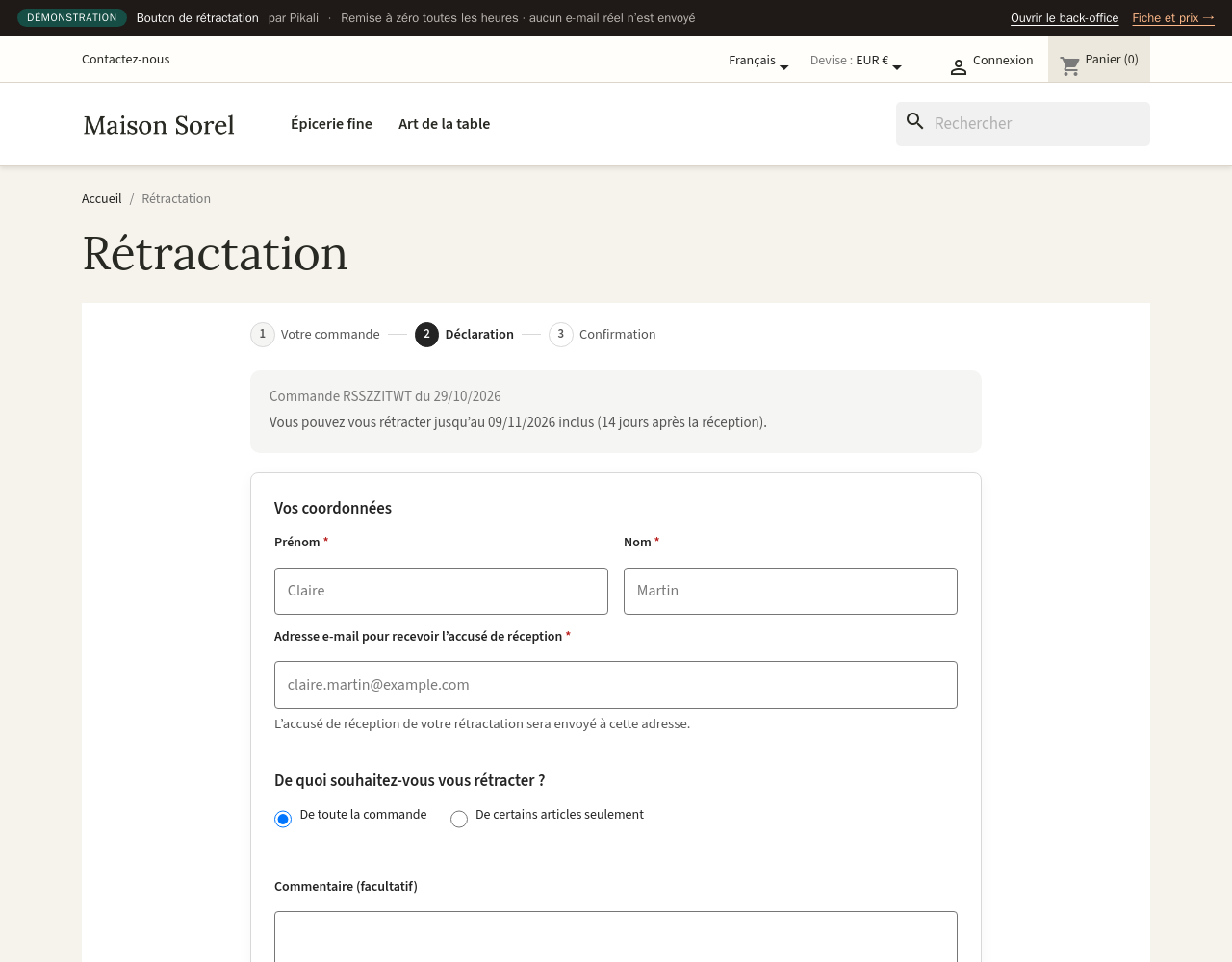
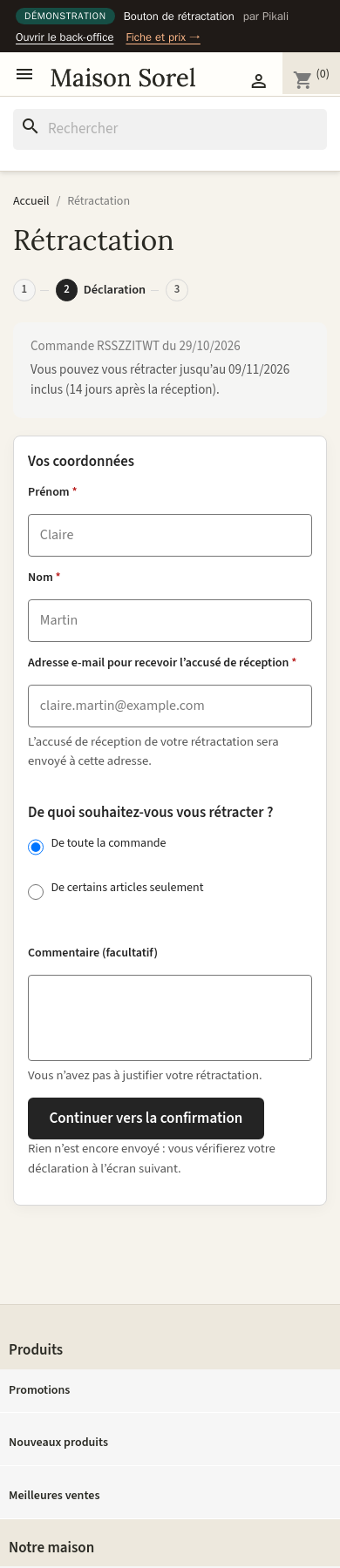
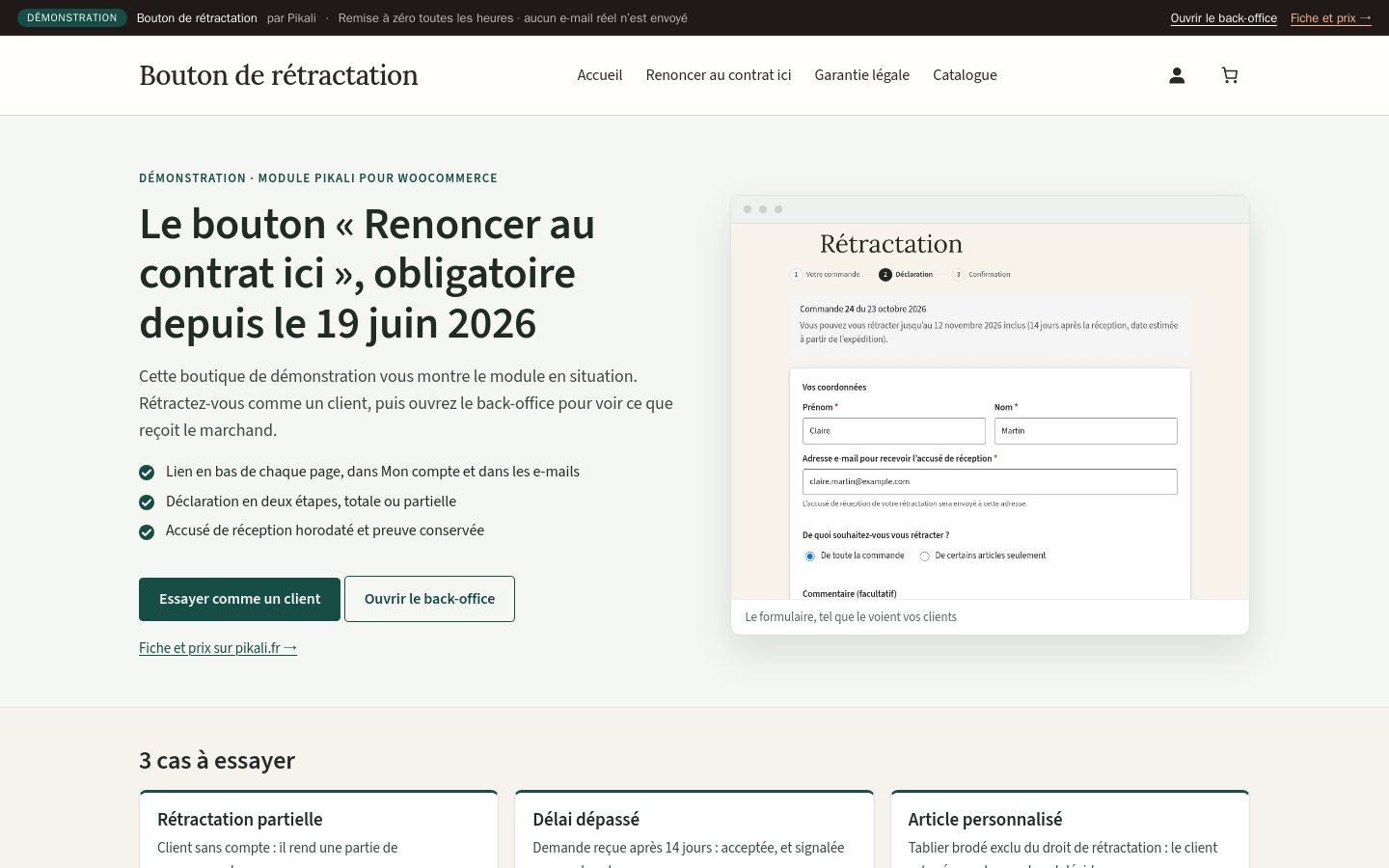
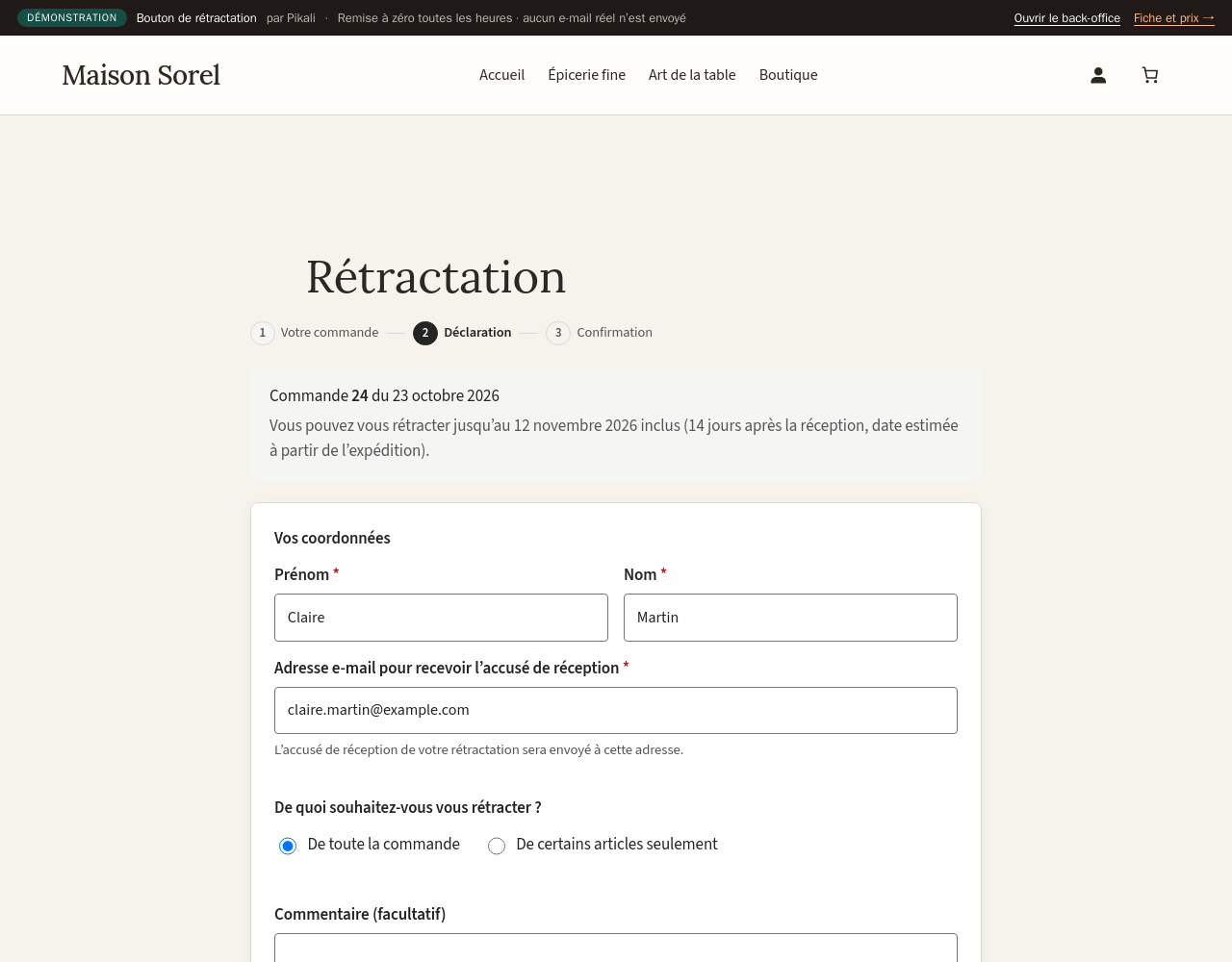
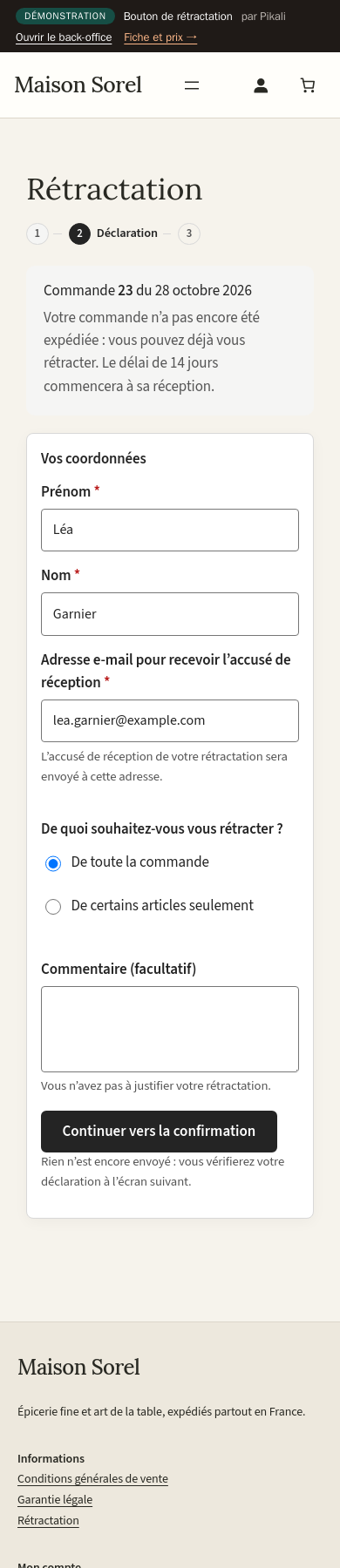
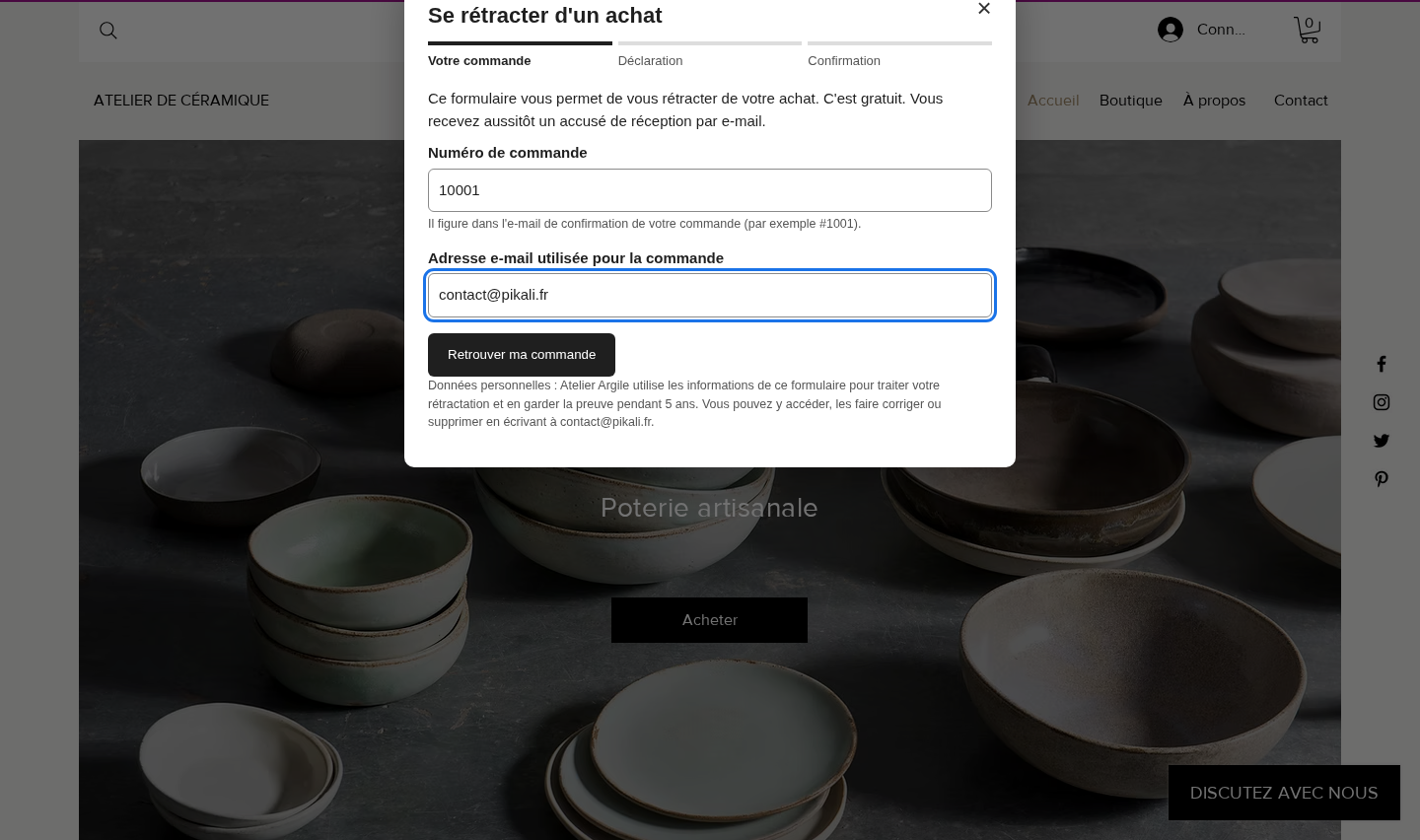
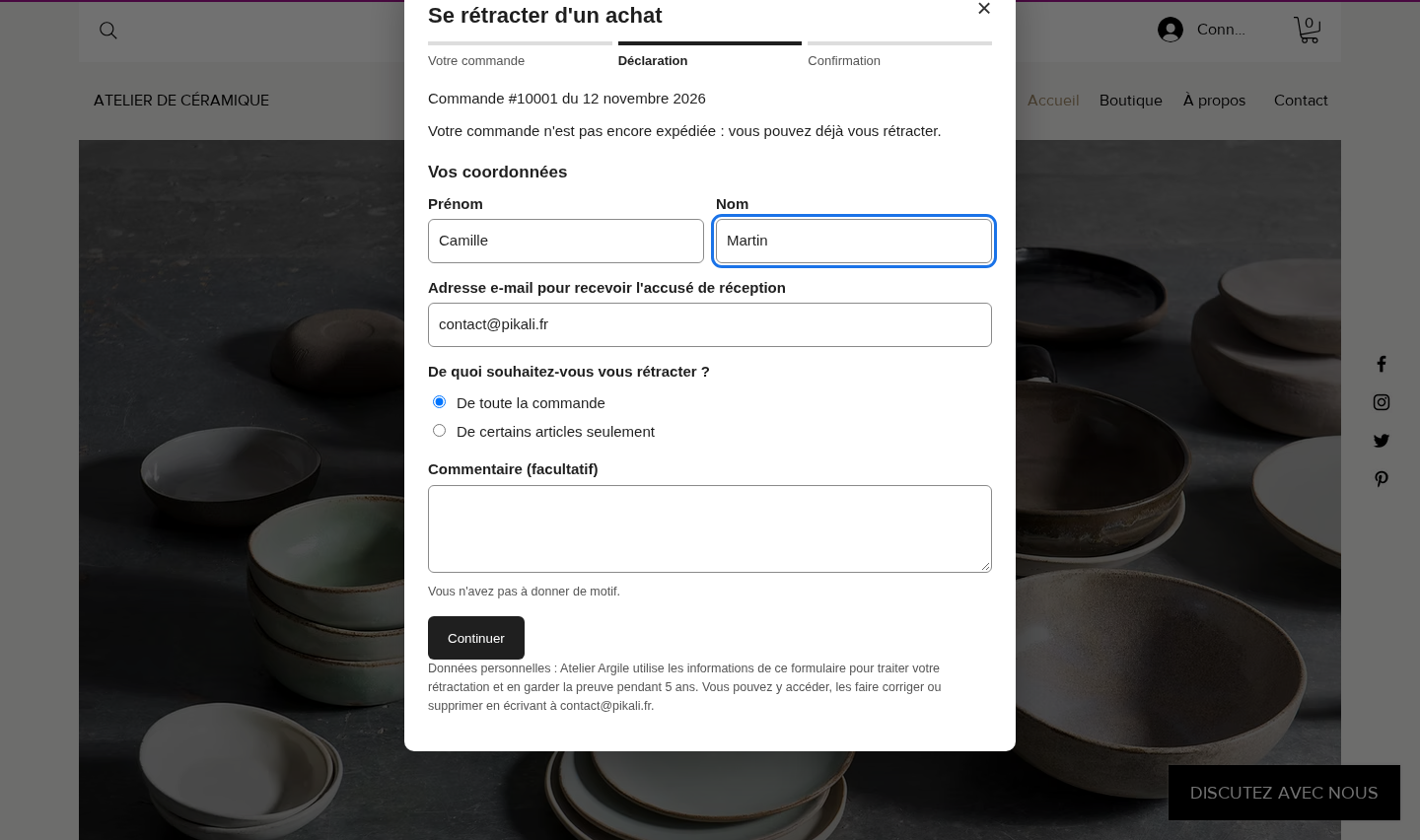
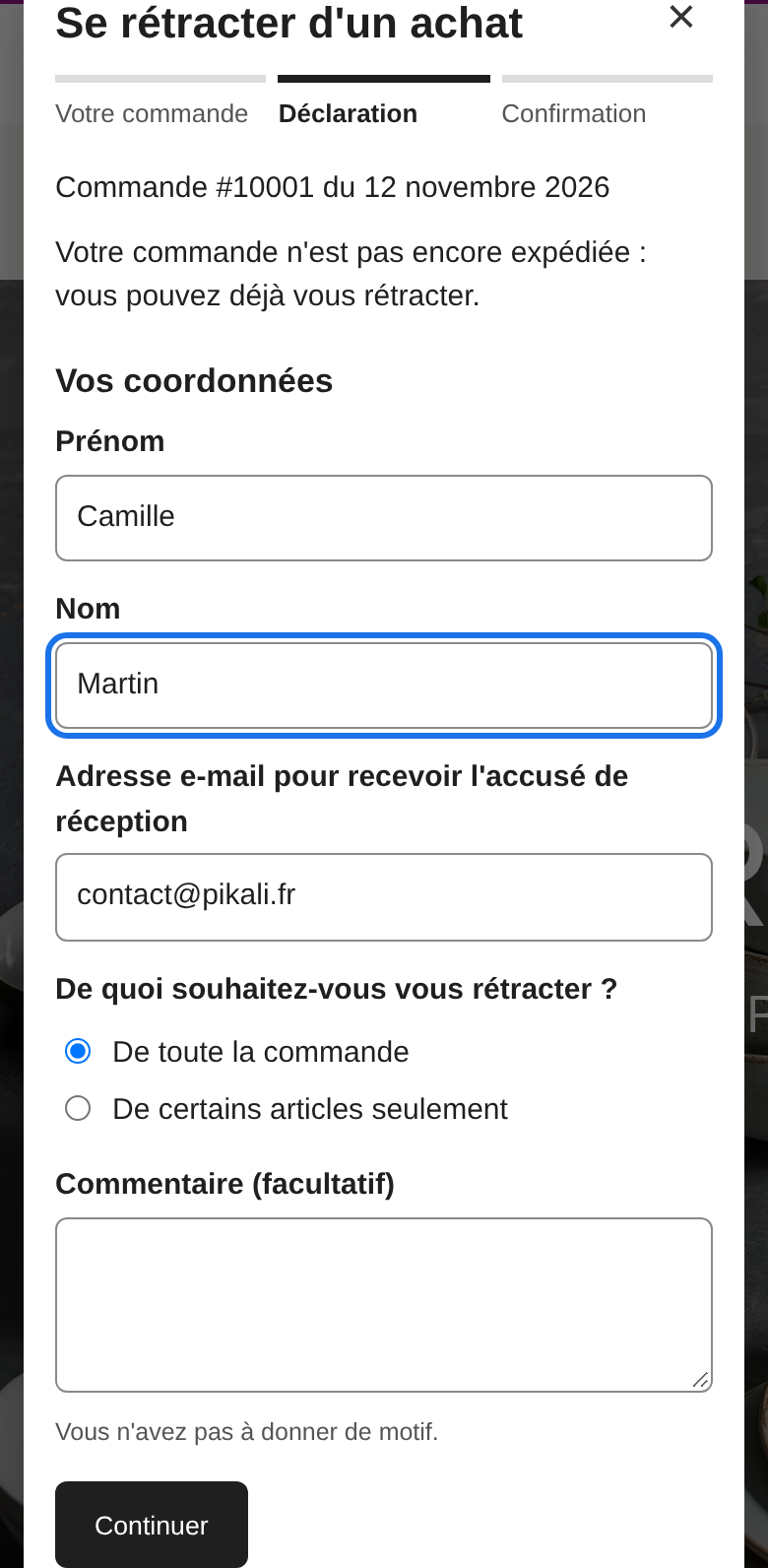
Customers find their order with its number and the purchase e-mail. Name, order and acknowledgement e-mail are prefilled once the order is found.
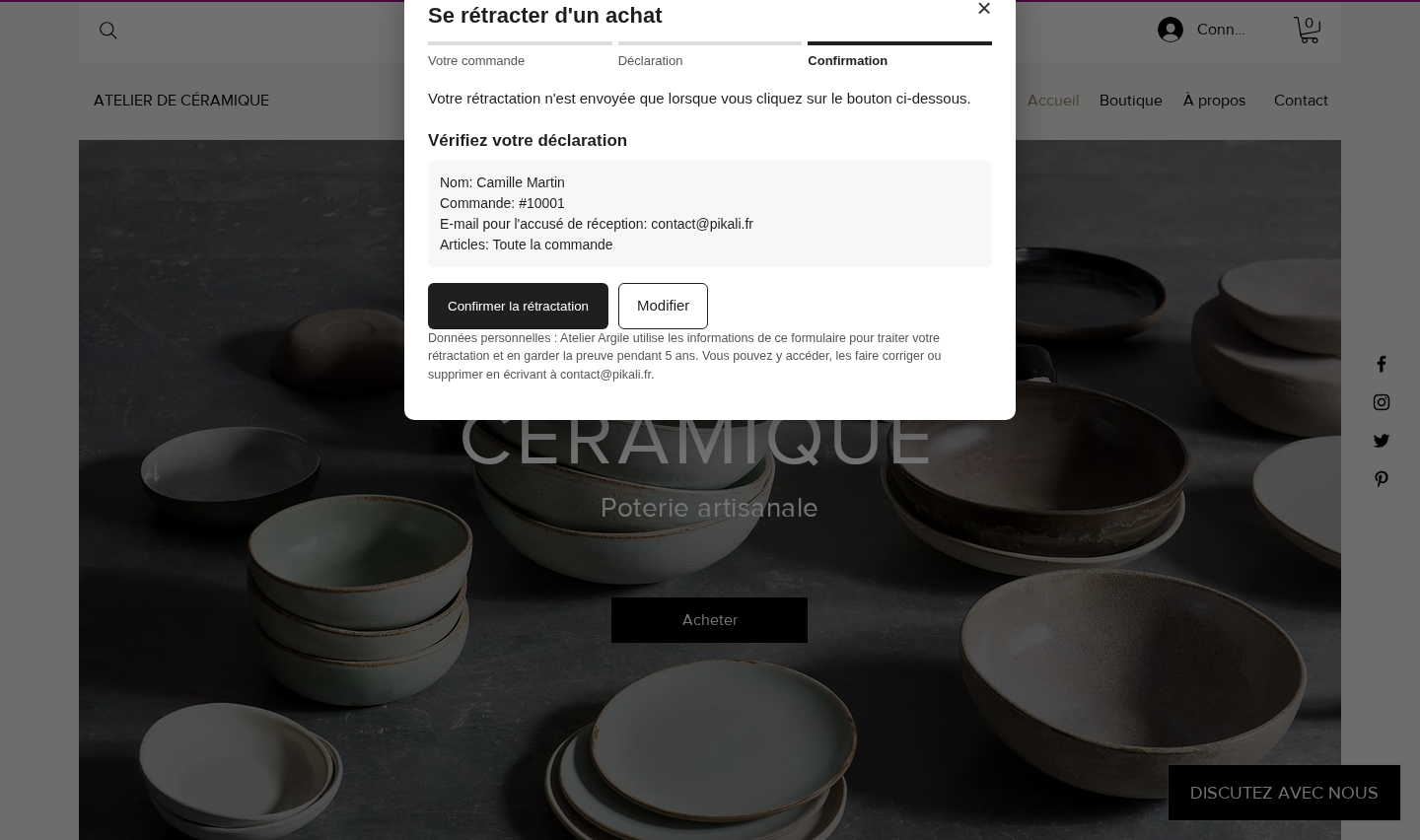
Whole order or selected items and quantities, then a review step and the "Confirm withdrawal" button.
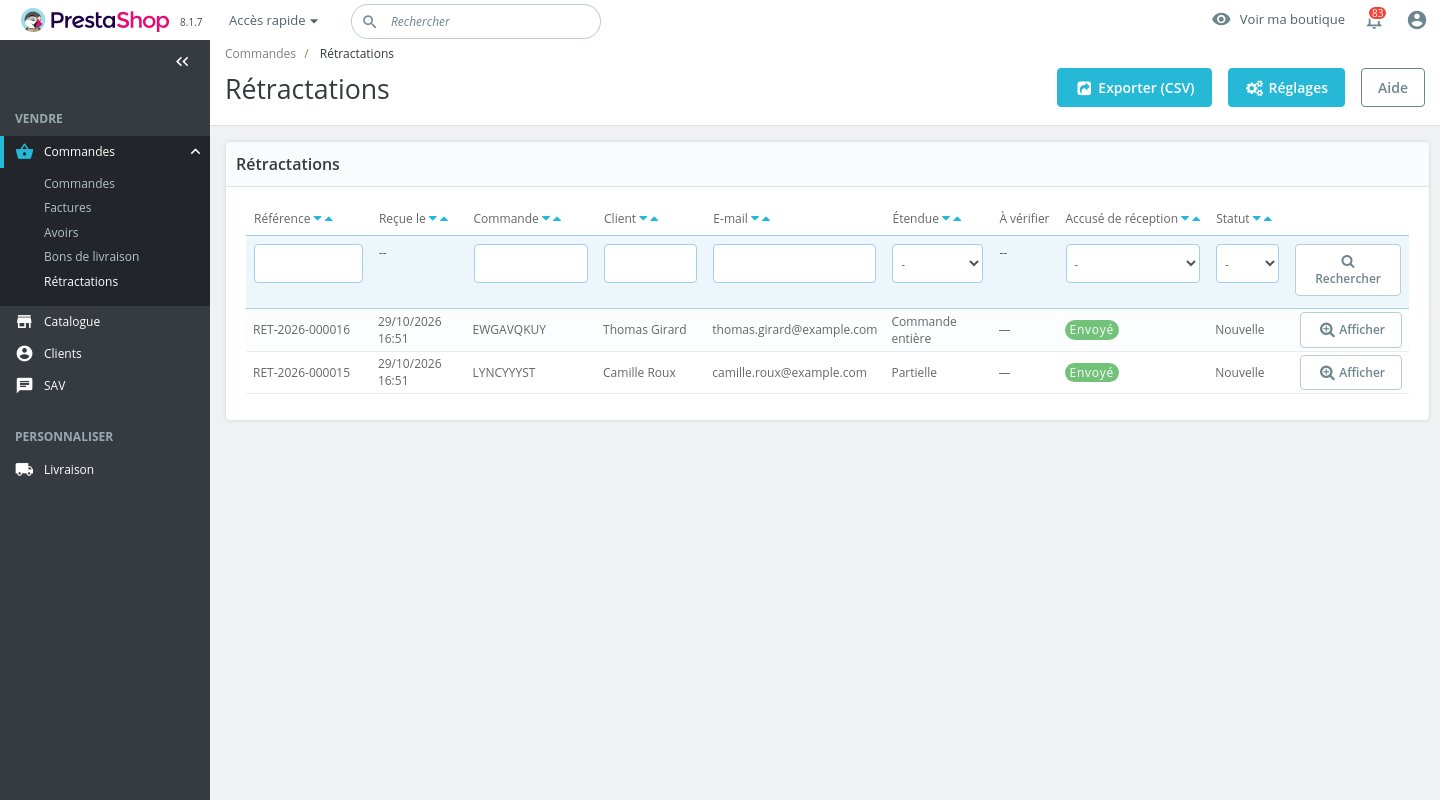
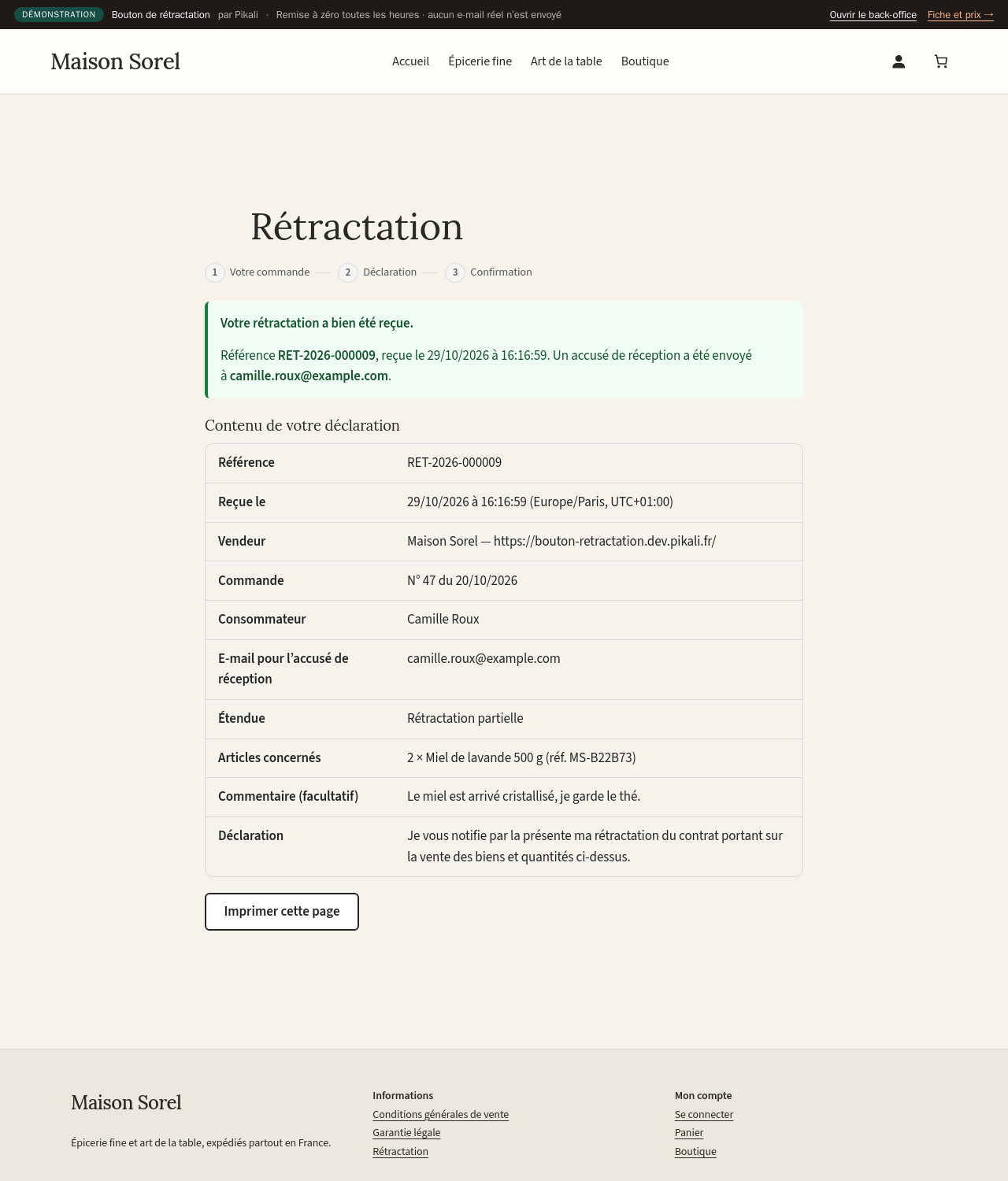
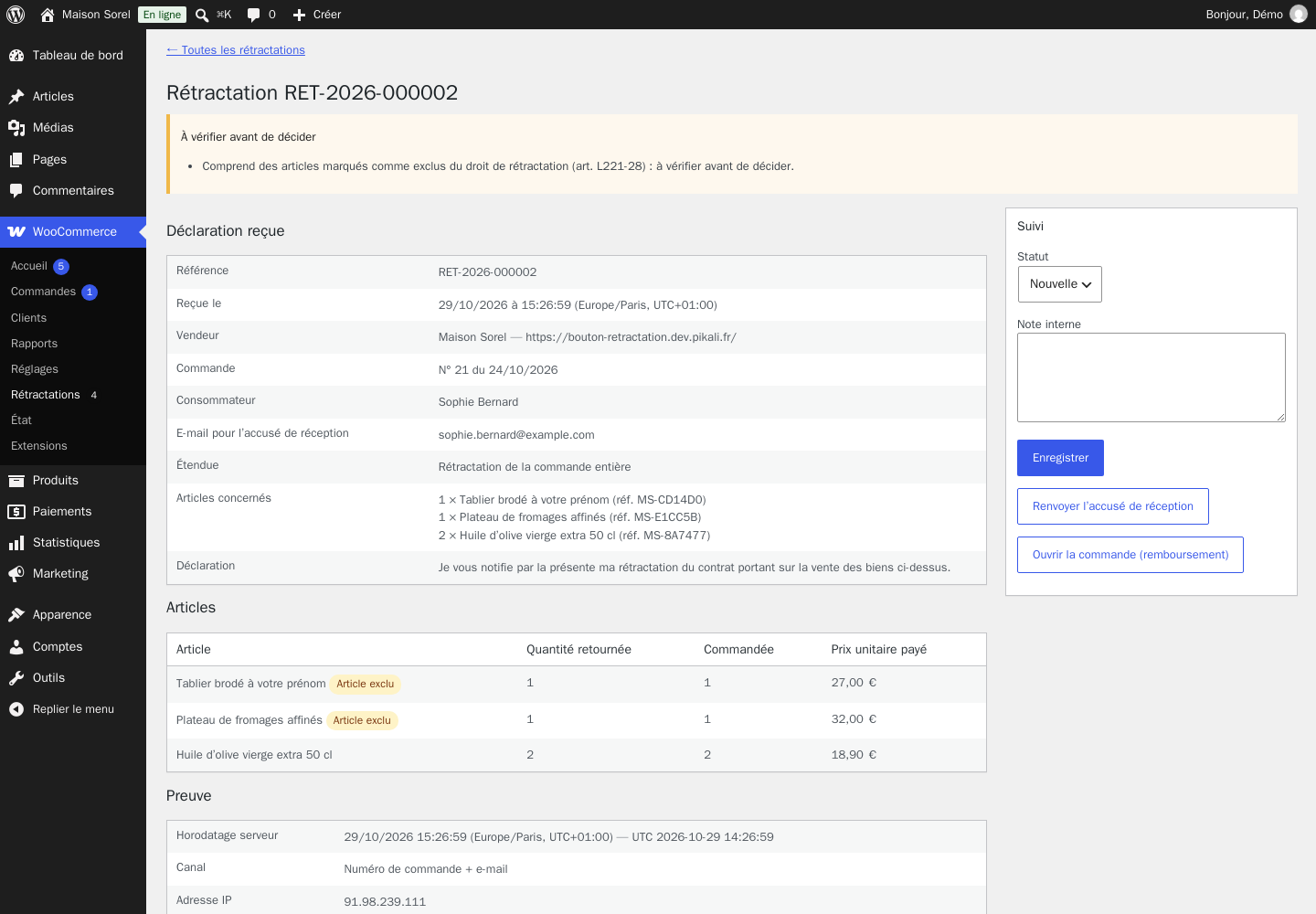
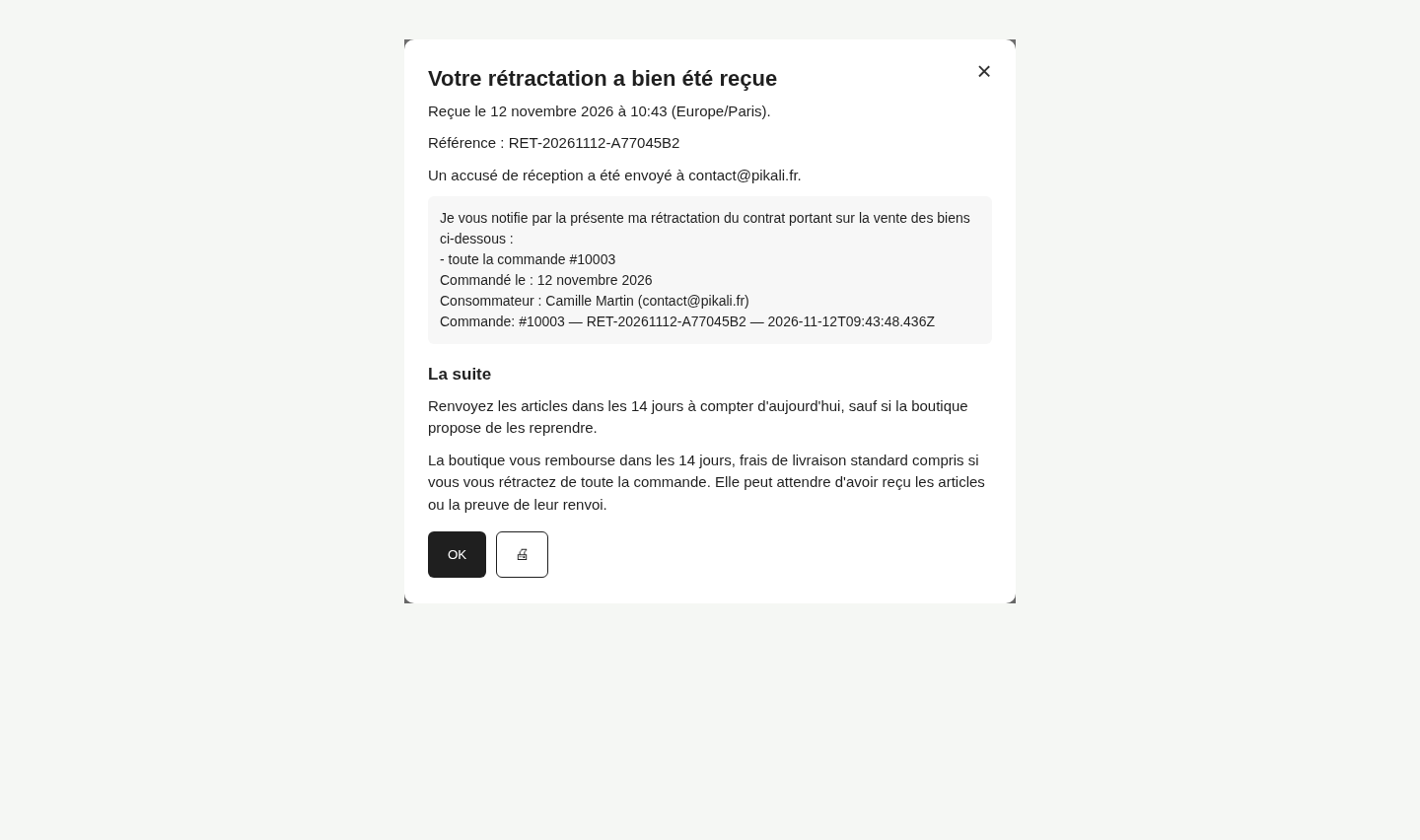
The customer sees the content of the declaration at once with the date and time of receipt, and gets it by e-mail. You get a copy with the points to check, and an alert with a resend button if an e-mail could not be sent.
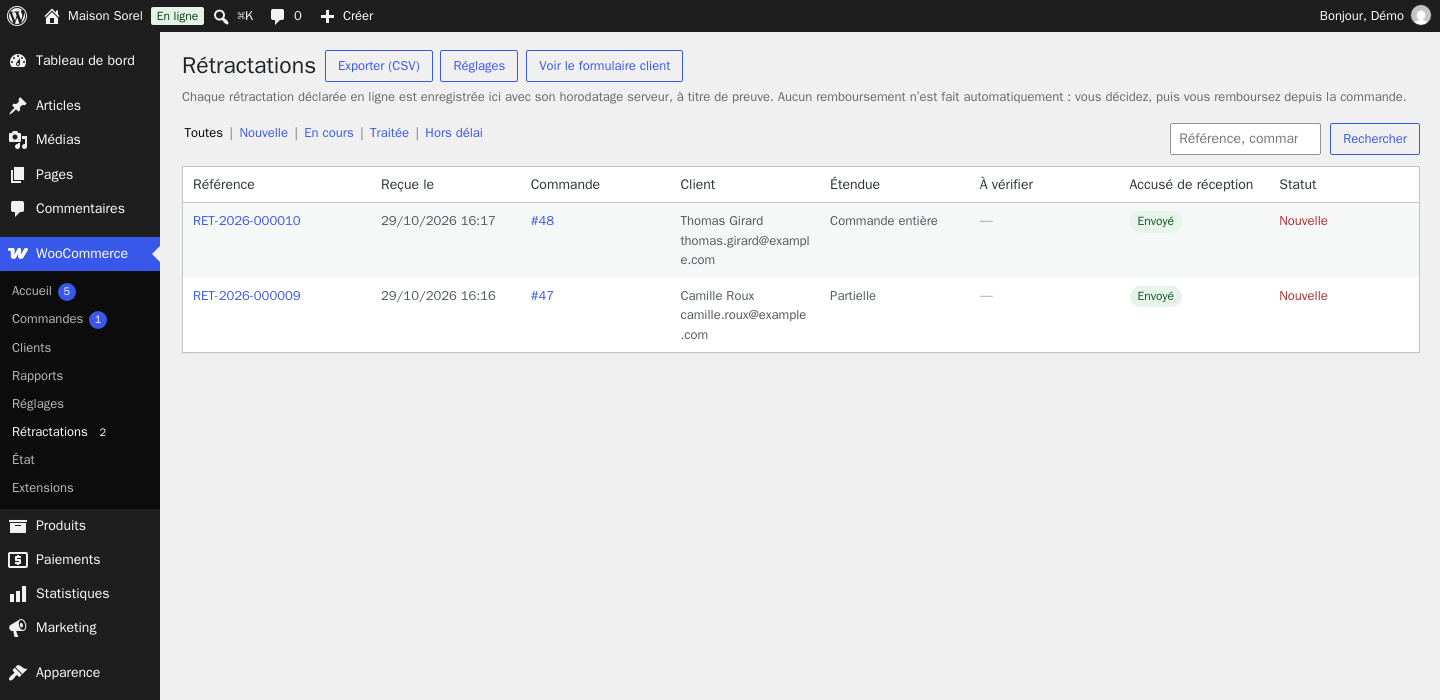
Every declaration is stored in your own shop, nothing at Pikali: timestamp, content, a fingerprint proving nothing was changed, CSV export. Configurable retention (5 years by default), then automatic erasure of personal data.
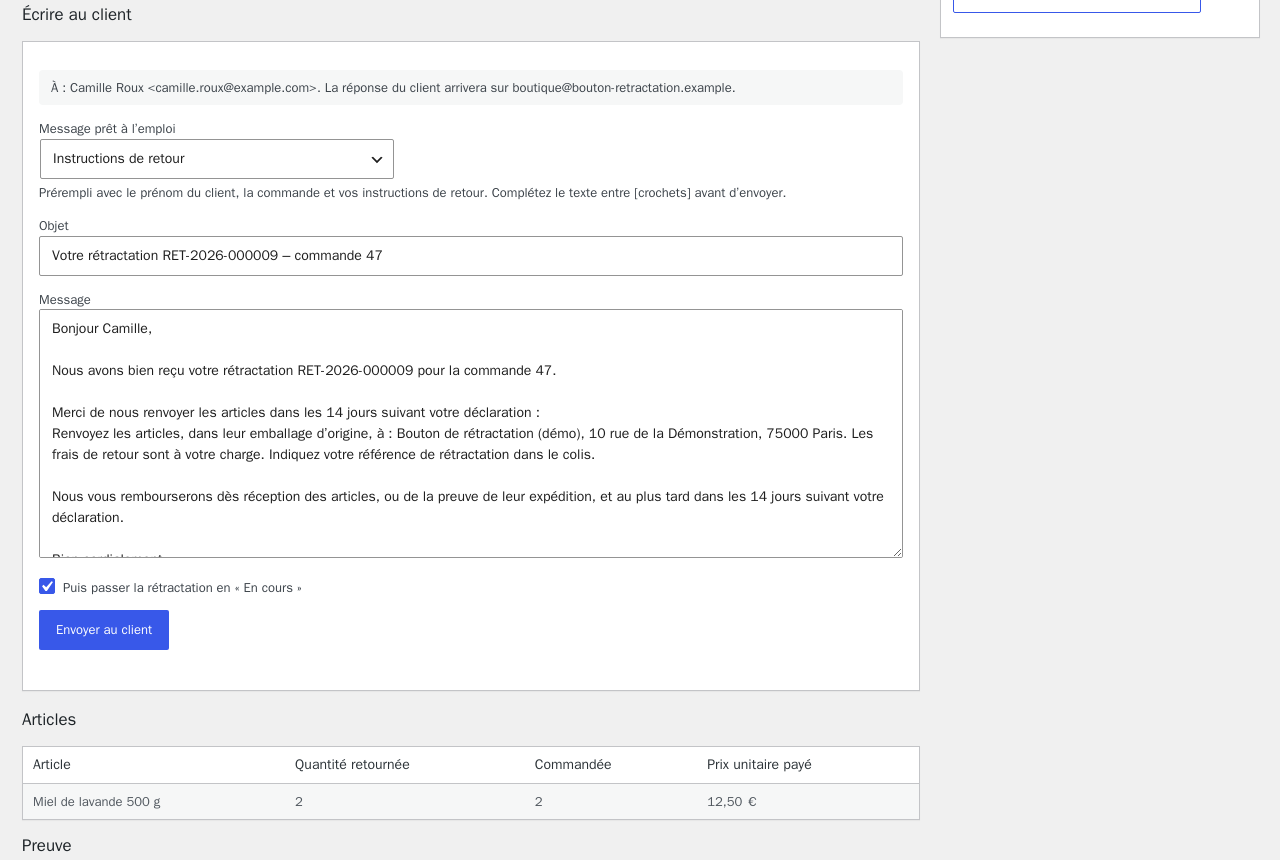
Nothing is refunded or refused automatically: a late request is flagged, never blocked. From the declaration, you write to the customer with a ready-made message (return instructions, refund made, late request…), kept in the history.
The deadline is shown to the customer: 14 days after receipt, moved to the next working day when it falls on a Saturday, Sunday or public holiday.
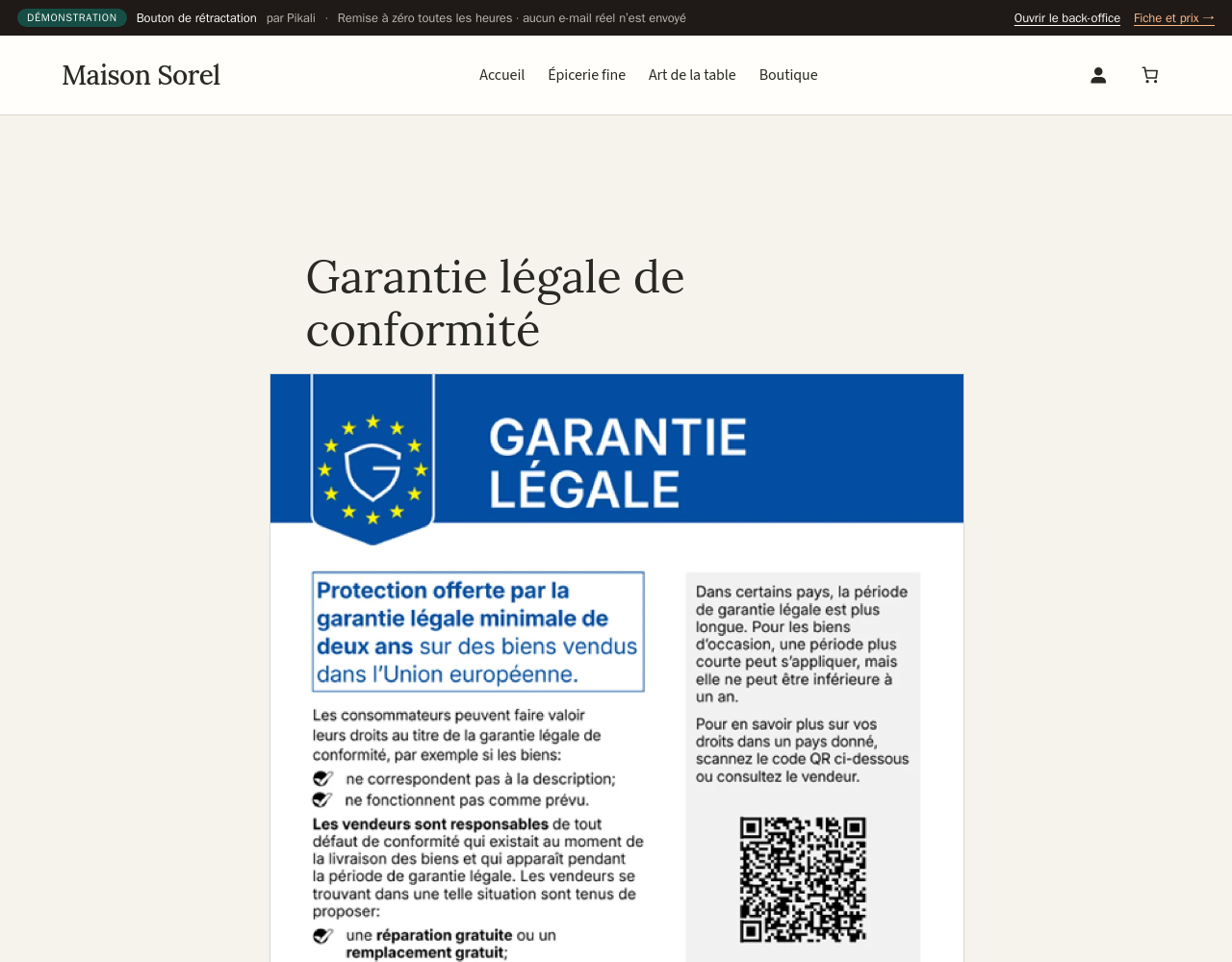
Optionally, the official EU notice on the two-year legal guarantee, unaltered, on your product pages, in the page language among the 24 official languages.
A complete demo shop, online, with the plugin installed and configured.
No automatic refund and no return label: you handle each request yourself.
The exact delivery date is only known if your shop records it; otherwise the deadline shown is an estimate, with no consequence for the customer since nothing is ever refused.
The form, the acknowledgement and the EU notice are available in the 24 official EU languages, with the official wording of the directive; the admin language depends on the edition (see its requirements).
One licence per shop and per platform: pick the edition that matches your shop.
Not legal advice: mention online withdrawal in your terms and conditions (the guide provides a paragraph for French law).
What French law requires, with a free checker for your shop (in French): boutonderetractation.fr
For any online shop selling to consumers in the European Union that must offer the online withdrawal function. One edition per platform, with exactly the same features. Module published by Pikali.
No automatic refund and no return label: you handle each request yourself.
The exact delivery date is only known if your shop records it; otherwise the deadline shown is an estimate, with no consequence for the customer since nothing is ever refused.
The form, the acknowledgement and the EU notice are available in the 24 official EU languages, with the official wording of the directive; the admin language depends on the edition (see its requirements).
One licence per shop and per platform: pick the edition that matches your shop.
Not legal advice: mention online withdrawal in your terms and conditions (the guide provides a paragraph for French law).
What French law requires, with a free checker for your shop (in French): boutonderetractation.fr
For any online shop selling to consumers in the European Union that must offer the online withdrawal function. One edition per platform, with exactly the same features. Module published by Pikali.
No automatic refund and no return label: you handle each request yourself.
The exact delivery date is only known if your shop records it; otherwise the deadline shown is an estimate, with no consequence for the customer since nothing is ever refused.
The form, the acknowledgement and the EU notice are available in the 24 official EU languages, with the official wording of the directive; the admin language depends on the edition (see its requirements).
One licence per shop and per platform: pick the edition that matches your shop.
Not legal advice: mention online withdrawal in your terms and conditions (the guide provides a paragraph for French law).
What French law requires, and the Wix button in detail (in French): boutonderetractation.fr/wix
For any online shop selling to consumers in the European Union that must offer the online withdrawal function. One edition per platform, with exactly the same features. Module published by Pikali.
One licence per shop and per platform: choose the edition for yours.
Version 1.5.0 · 6.3 Mo · AFL-3.0 (Academic Free License) licence
€79.00 excl. VAT
i.e. €94.80 incl. VAT
VAT: 20% for French businesses, reverse charge for EU businesses with a verified VAT number, not applicable outside the EU.
Sign in to buyA business account is required to buy.
Licence for one PrestaShop shop (1 licence = 1 shop, per platform): a site on WooCommerce and Wix would need its own licence, from its edition on this same page. One-off purchase, no time limit on use.
12 months of updates and support included from the purchase (current version downloadable from your client area, new versions announced by e-mail).
Then an optional “Entretien” (care plan) at 20% of the licence price per year (€15.80 excl. VAT per year): updates and support extended for one year, with no catch-up for past years. Without it, the module keeps working.
Code released under the free AFL-3.0 (Academic Free License) licence: the rights that licence grants on the code remain whole; the Pikali licence covers the use in your shop, the updates and the support.
Support by e-mail at contact@pikali.fr.
Version 1.5.2 · 7.1 Mo · GPL-2.0-or-later licence
€79.00 excl. VAT
i.e. €94.80 incl. VAT
VAT: 20% for French businesses, reverse charge for EU businesses with a verified VAT number, not applicable outside the EU.
Sign in to buyA business account is required to buy.
Licence for one WooCommerce shop (1 licence = 1 shop, per platform): a site on PrestaShop and Wix would need its own licence, from its edition on this same page. One-off purchase, no time limit on use.
12 months of updates and support included from the purchase (current version downloadable from your client area, new versions announced by e-mail).
Then an optional “Entretien” (care plan) at 20% of the licence price per year (€15.80 excl. VAT per year): updates and support extended for one year, with no catch-up for past years. Without it, the module keeps working.
Code released under the free GPL-2.0-or-later licence: the rights that licence grants on the code remain whole; the Pikali licence covers the use in your shop, the updates and the support.
Support by e-mail at contact@pikali.fr.
Version 3.2.0
€79.00 excl. VAT
i.e. €94.80 incl. VAT
VAT: 20% for French businesses, reverse charge for EU businesses with a verified VAT number, not applicable outside the EU.
Sign in to buyA business account is required to buy.
Licence for one Wix site (1 licence = 1 site, per platform, can be freed to move it): a site on PrestaShop and WooCommerce would need its own licence, from its edition on this same page. One-off purchase, no time limit on use.
12 months of updates and support included from the purchase; nothing to download: the installation link and the key are in your client area, and Wix installs new versions by itself.
Then an optional “Entretien” (care plan) at 20% of the licence price per year (€15.80 excl. VAT per year): updates and support extended for one year, with no catch-up for past years. Without it, the module keeps working.
Licence key provided in your client area (“My modules”).
Support by e-mail at contact@pikali.fr.
This edition is also listed on Wix App Market.
The file is a standard PrestaShop module: four steps, no code.
From your Pikali client area, right after purchase. Do not unzip it.
In the PrestaShop admin: Modules → Module Manager, then Upload a module at the top right.
Drag the ZIP file into the window. PrestaShop installs the module by itself. No Pikali key to enter: the module works as soon as it is active.
Click Configure: every setting is explained on the module page.
The file is a standard WordPress plugin: four steps, no code.
From your Pikali client area, right after purchase. Do not unzip it.
Go to Plugins → Add New → Upload Plugin, choose the ZIP file and click Install Now.
Click Activate. No Pikali key to enter: the module works as soon as it is active.
A new menu appears in the WordPress sidebar. Every setting is explained, and the documentation is included in French and English.
Nothing to download: an installation link and your licence key, provided in your client area right after purchase. Wix then keeps the app up to date by itself.
Open the installation link and choose your Wix site, then Install.
In the app dashboard, click Activate on my site, then publish your site.
Plan tab: paste your licence key and click Activate: the Pro features are unlocked.
Free this licence button in the app, or Free the key in your pikali.fr client area.
Since 19 June 2026 (Directive (EU) 2023/2673, Article 11a of Directive 2011/83/EU), an online shop must offer a visible "withdraw from contract here" function throughout the withdrawal period, a form for name, contract and e-mail, a "confirm withdrawal" button and an immediate acknowledgement stating the content, date and time. The module does all of this.
They enter their order number and the purchase e-mail; the module finds the order and prefills the declaration.
They are recorded and acknowledged anyway, flagged as late, and you decide. The module never refuses a declaration.
No. You refund when you decide to, within the 14 days set by law.
Yes. Every edition has the same features; only installation and technical requirements differ. Pick your platform's edition below.
No. Declarations stay in your shop, and e-mails are sent from your shop.
Pick your platform's edition: the link appears on every page, the proof log starts, and you only need to review your terms.
Choose my edition