One AI translates, a second one reviews
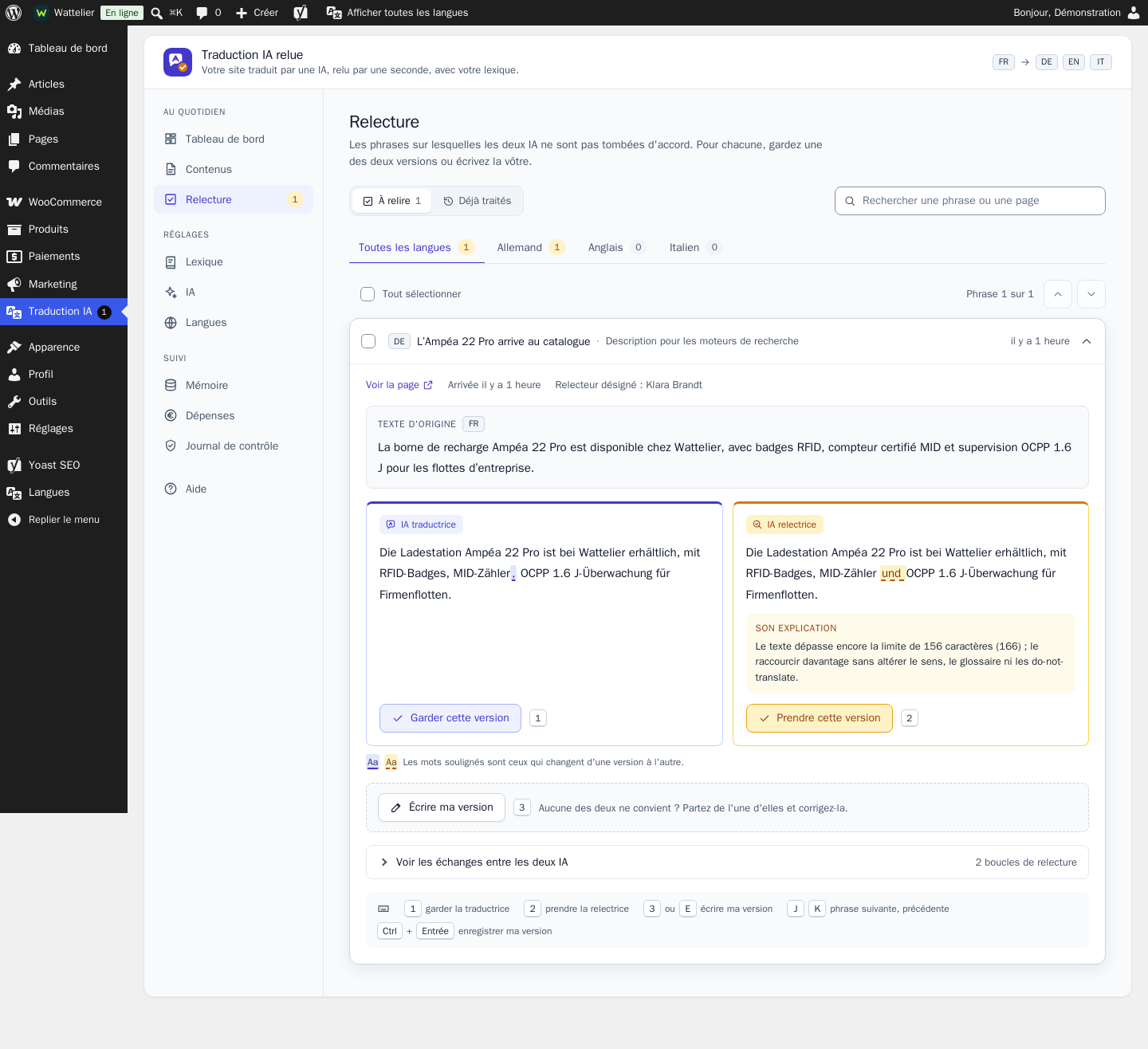
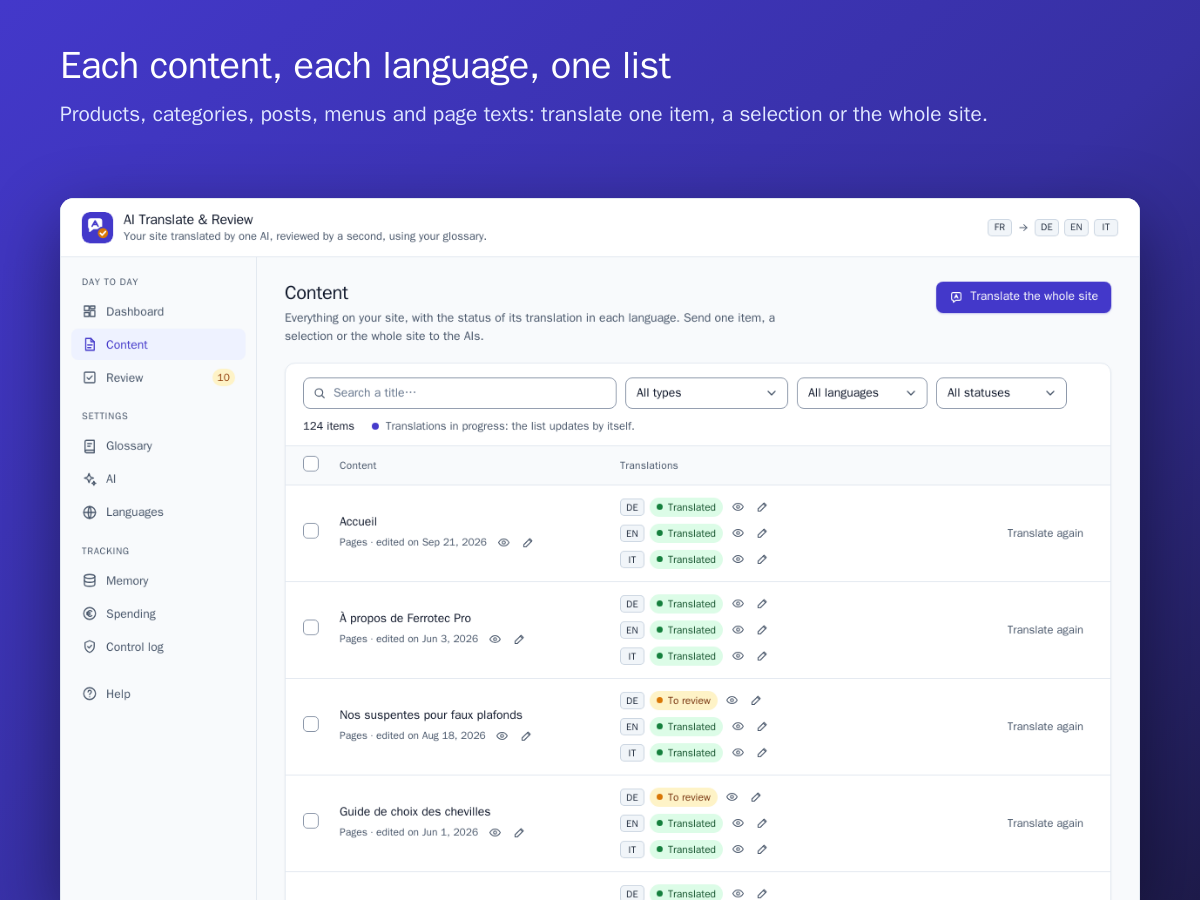
The reviewer compares each translation with the original and suggests its corrections. You set the number of loops, from 1 to 5: the review stops as soon as the reviewer approves.
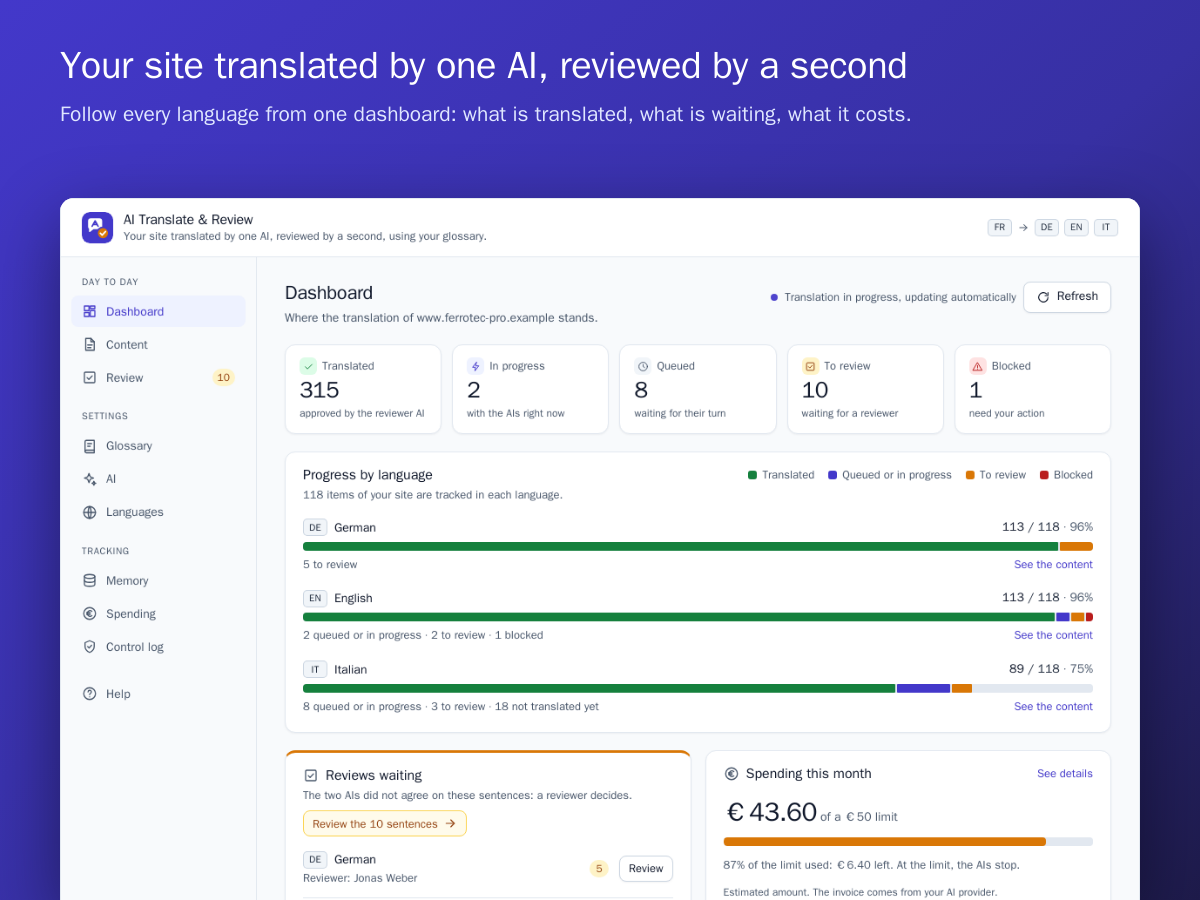
One AI translates your site, then every new content as soon as it is published. A second AI compares the translation with the original and corrects it. You enforce your trade vocabulary, you choose your AIs and you set a monthly spending limit.
One AI translates your Wix site, then every new content as soon as it is published. A second AI compares the translation with the original and corrects it. You enforce your trade vocabulary, you choose your AIs and you set a monthly spending limit.
Traduction IA relue is an e-commerce module published by Pikali, available for WooCommerce and Wix. Your shop translated into as many languages as you want: one AI translates, a second one reviews, with your own glossary. You pay your AI provider for what you use. Licence: €249.00 excl. VAT (€298.80 incl. VAT) per shop, for the platform of your choice, 12 months of updates included, no subscription required. Try it first on its live demo.
The reviewer compares each translation with the original and suggests its corrections. You set the number of loops, from 1 to 5: the review stops as soon as the reviewer approves.
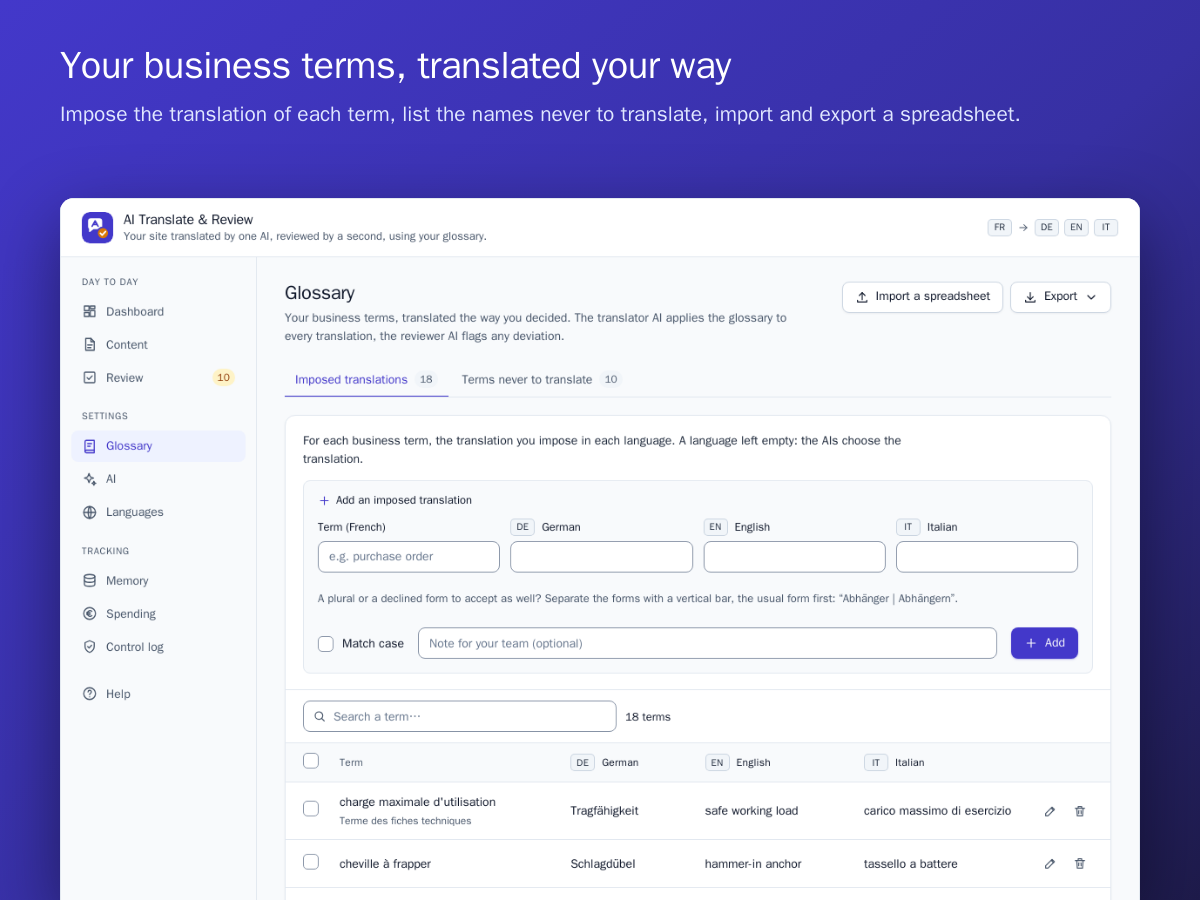
You set the translation of each technical term and the list of words that must never be translated: product names, references, standards, brands. The translator applies it, the reviewer reports any deviation.
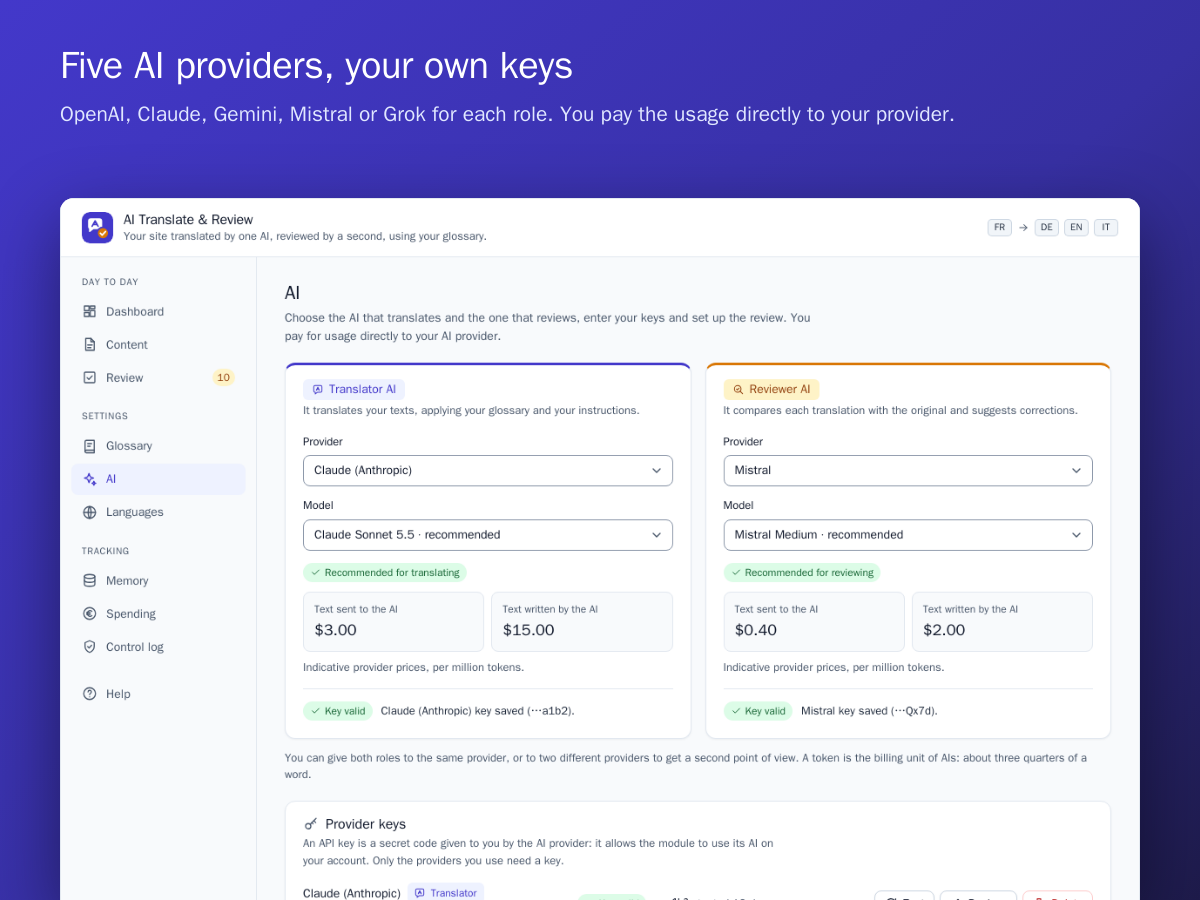
Pick the translator and the reviewer among OpenAI, Claude, Gemini, Mistral and Grok, from the same provider or two different ones, and change whenever you want. You pay your provider directly for what you use. A step-by-step guide helps you create your account and your key with each of them.
Start the translation of the whole site in one click. After that, each page, product or news item you publish is translated by itself. The texts of your theme and plugins follow too.
The module remembers every approved sentence. When you fix one line of a product page, only that line goes back to the AI: the rest is reused as it is, at no extra cost.
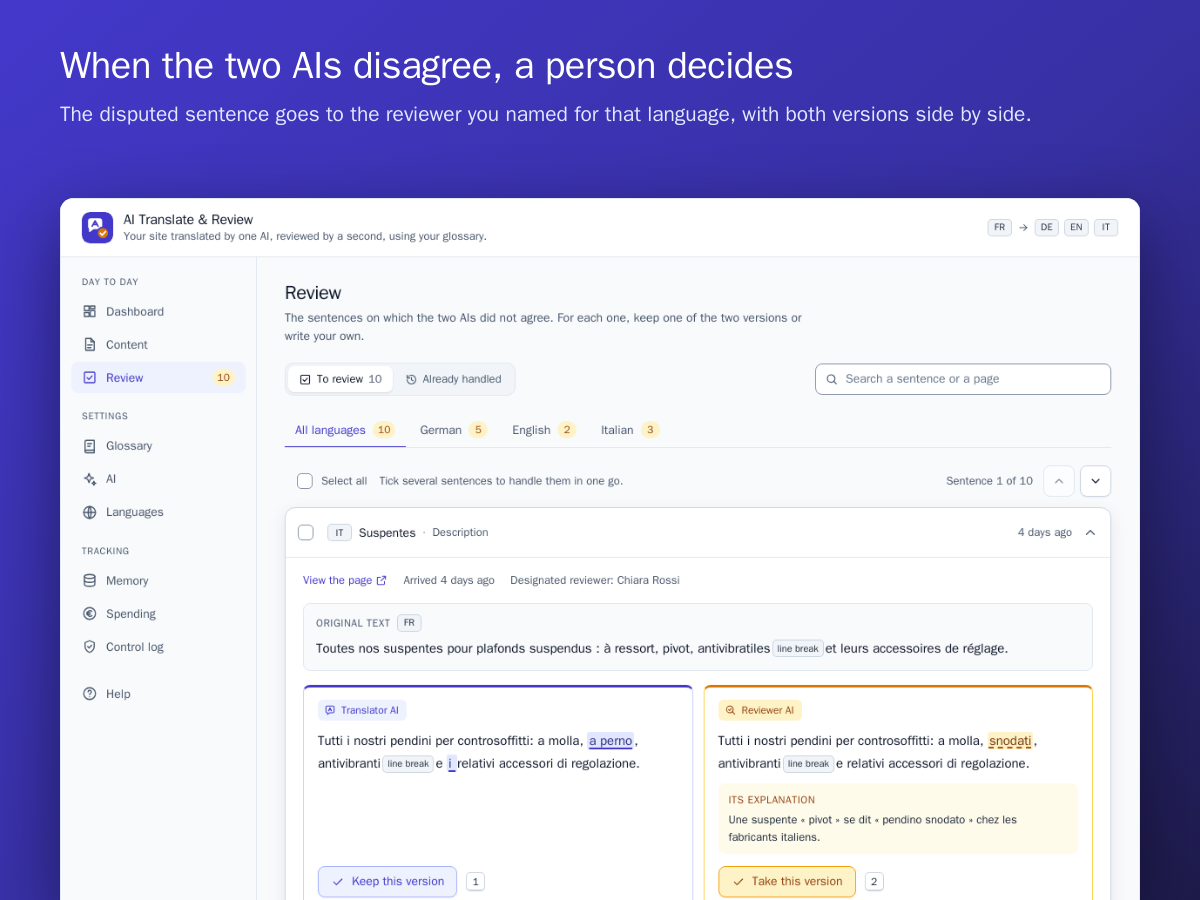
If the reviewer does not approve after the last loop, the passage goes to a review queue. The person you appointed for that language is notified by e-mail and decides in one click.
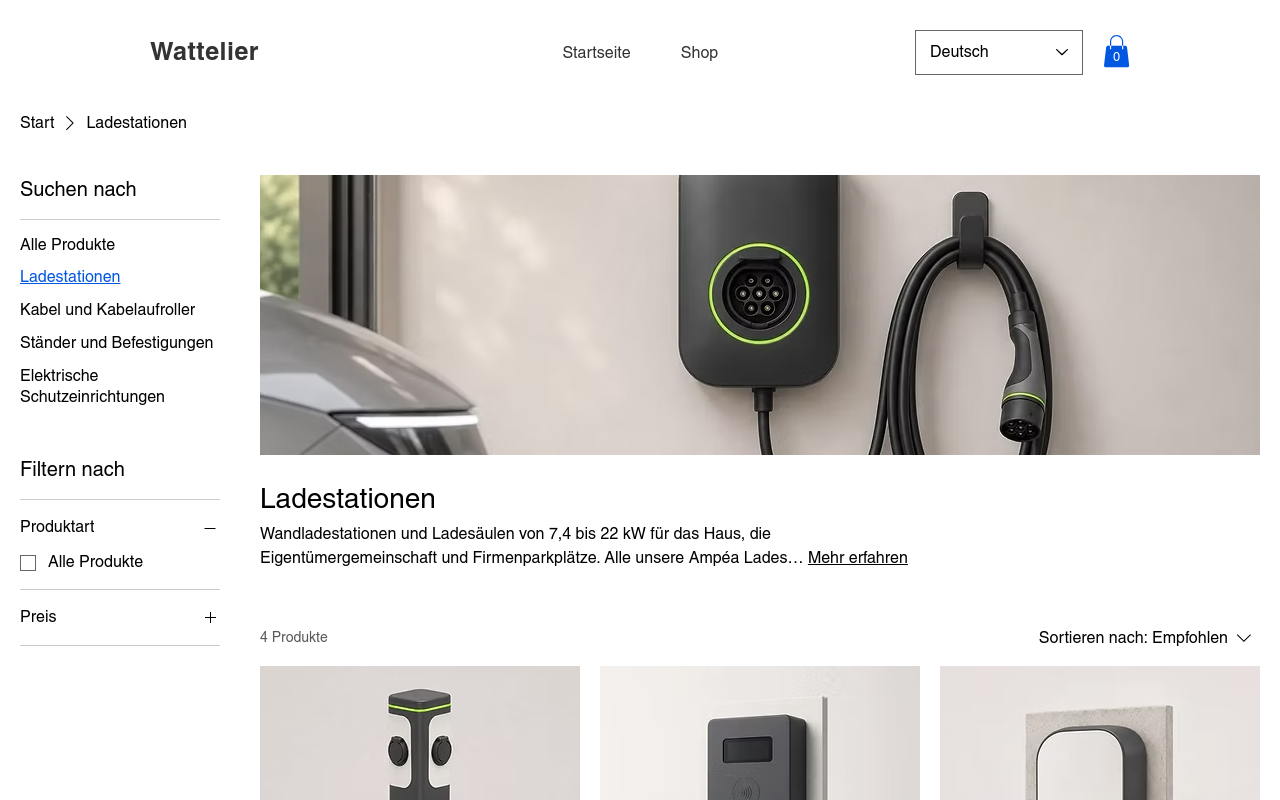
Each language has its own addresses, its hreflang tags and a language switcher placed by itself on every page. With Yoast SEO, titles and descriptions are translated as well.
Each translated product stays attached to the original one. The technical fields you choose (load, dimensions, references) are copied without going through the AI, at every change.
The reviewer compares each translation with the original and suggests its corrections. You set the number of loops, from 1 to 5: the review stops as soon as the reviewer approves.
You set the translation of each technical term and the list of words that must never be translated: product names, references, standards, brands. The translator applies it, the reviewer reports any deviation.
Pick the translator and the reviewer among OpenAI, Claude, Gemini, Mistral and Grok, from the same provider or two different ones, and change whenever you want. You pay your provider directly for what you use. A step-by-step guide helps you create your account and your key with each of them.
Start the translation of the whole site in one click. After that, each product, blog post or page text you publish is translated by itself, within minutes. The texts of the Wix apps on your site follow too.
The module remembers every approved sentence. When you fix one line of a product page, only that line goes back to the AI: the rest is reused as it is, at no extra cost.
If the reviewer does not approve after the last loop, the passage goes to a review queue. The person you appointed for that language is notified by e-mail and decides in one click.
You add a language from the module screen: it is created in Wix Multilingual, with its own address (for example /de/) and its hreflang tags. Titles and descriptions for search engines are translated as well.
On Wix, a translated product stays the same product: only its texts change with the language. Price, SKU, stock, images and variants are those of the original, everywhere, and are never sent to the AIs.
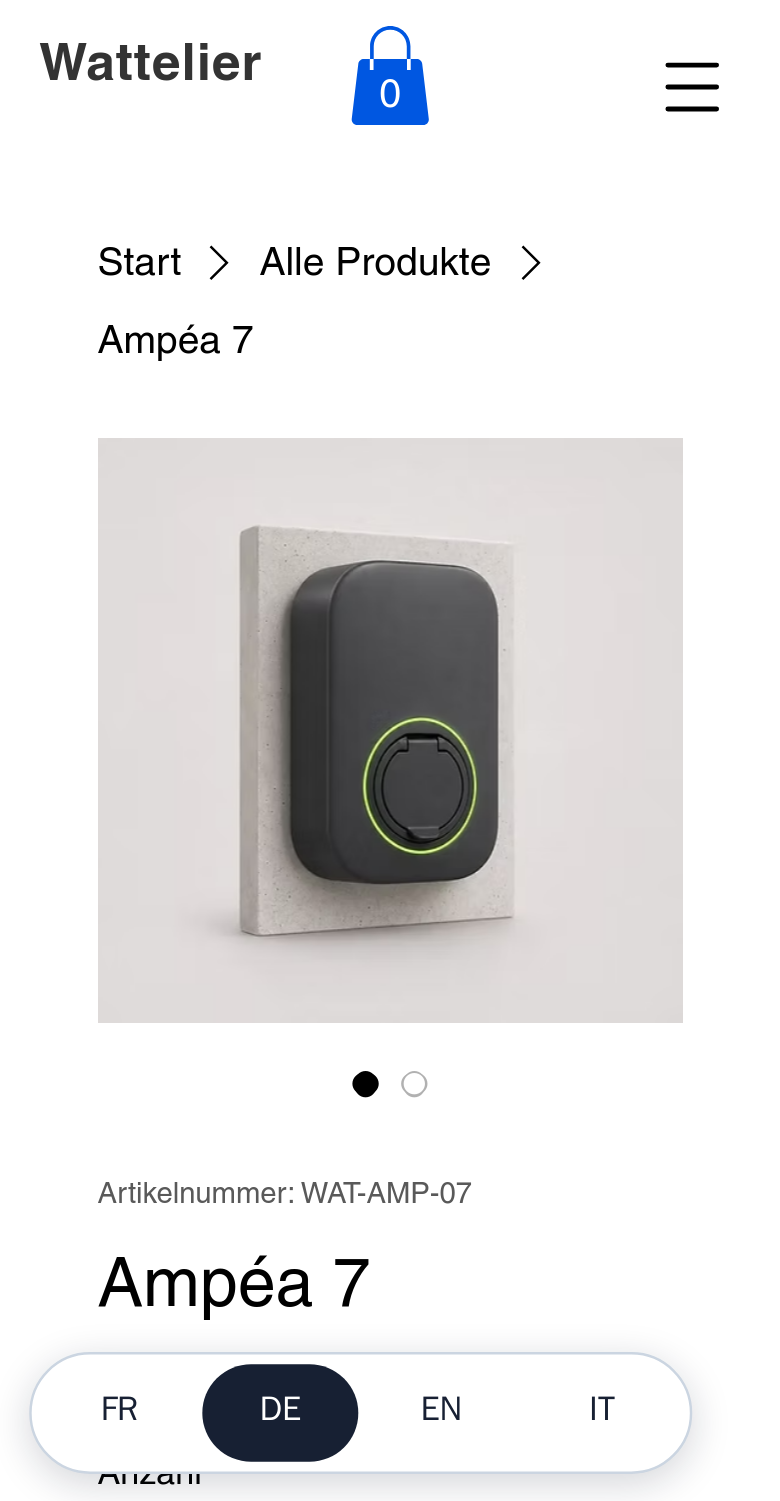
A complete demo shop, online, with the plugin installed and configured.
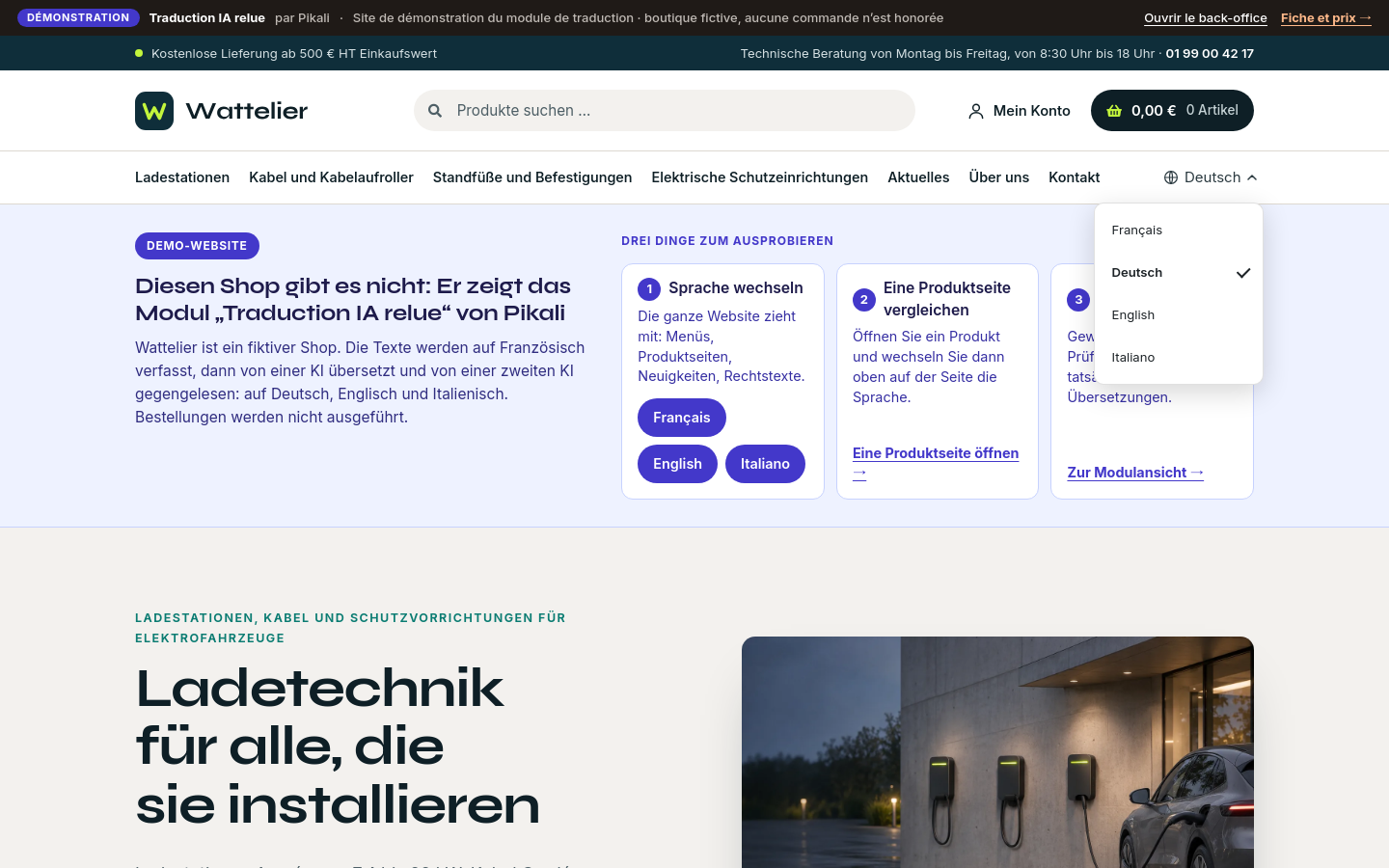
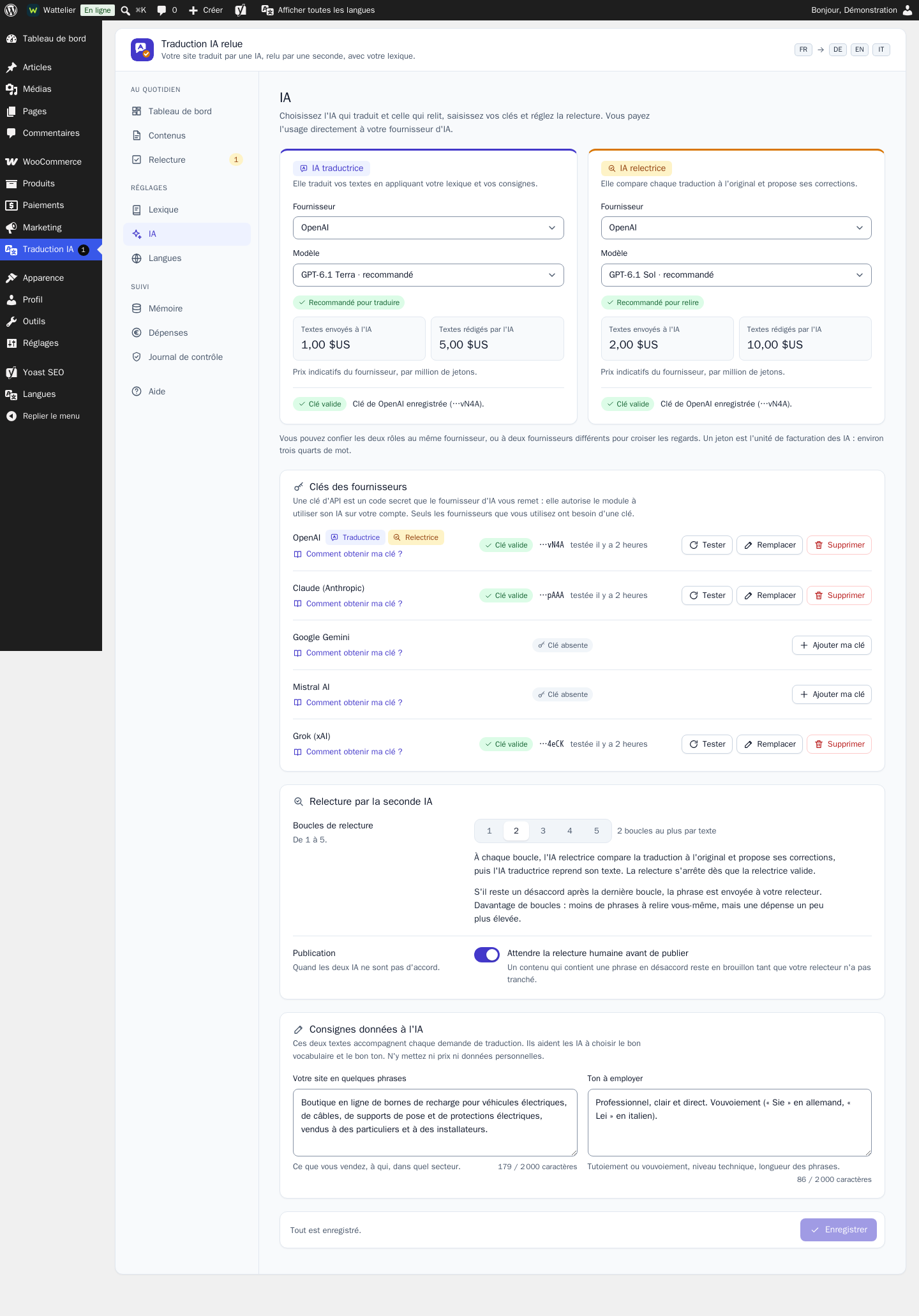
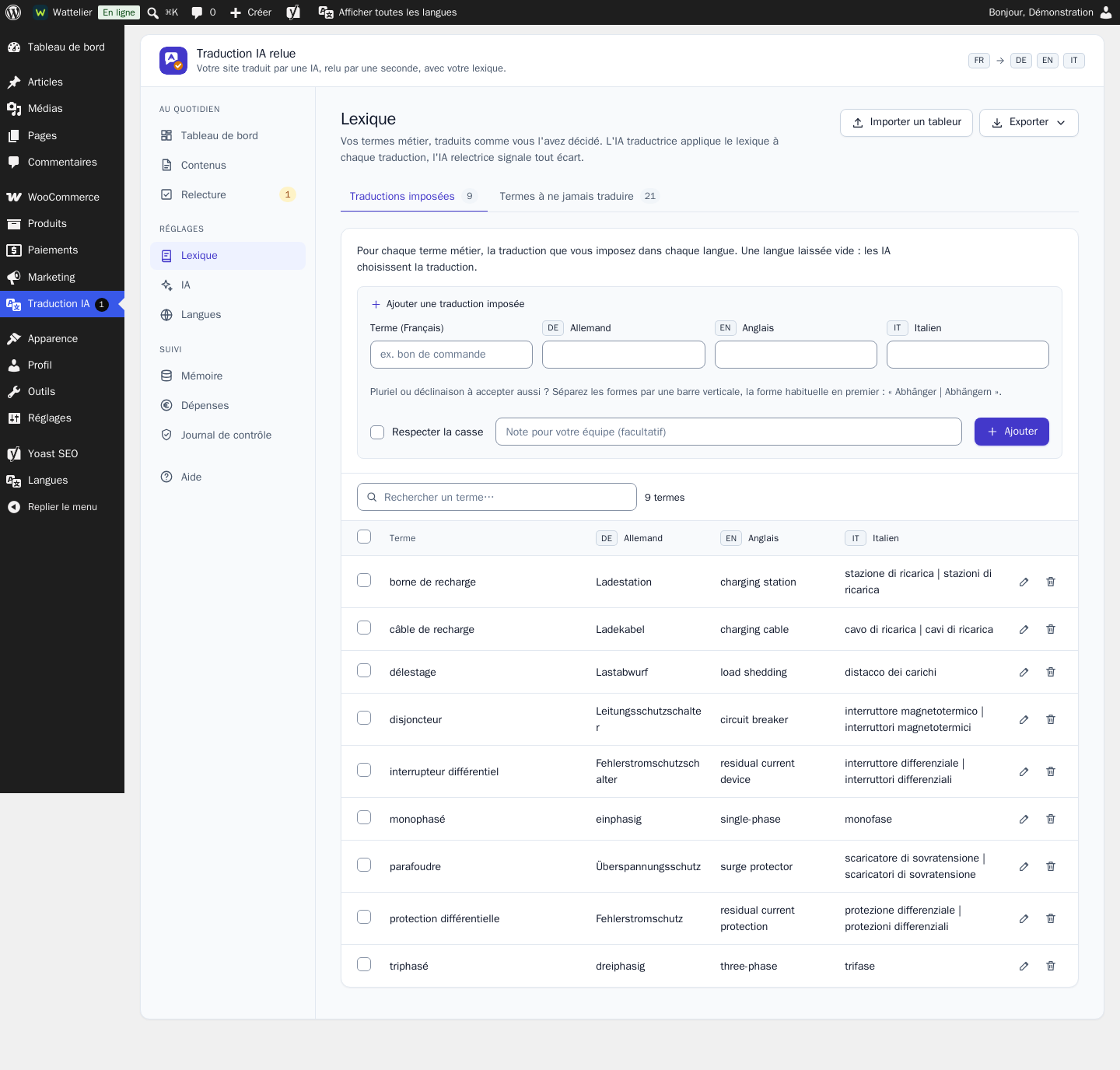

AIs do the translating and the reviewing: the module does not promise an error-free translation, and Pikali does not proofread your texts. For pages that commit you, have them read by someone who speaks the language.
You need an account with at least one AI provider (OpenAI, Anthropic, Google, Mistral or xAI) and an API key in your name. The cost of the translations is billed by that provider, based on usage.
The free Polylang plugin is required: it manages the languages of the site. The module takes care of the translations, the linked products and the language switcher.
The public texts to translate go through our service, hosted in Germany, then through the AI provider you chose. No price, no customer account and no e-mail address is sent.
OpenAI, Claude and Grok were tried on a real shop. Gemini and Mistral are connected and covered by our automated tests.
Legal pages: the original language prevails, the other versions are marked as translations.
For WooCommerce shops and catalogue sites that sell abroad with a precise technical vocabulary, and want to keep control of their trade terms and their budget. Support by e-mail, module published by Pikali.
AIs do the translating and the reviewing: the module does not promise an error-free translation, and Pikali does not proofread your texts. For pages that commit you, have them read by someone who speaks the language.
You need an account with at least one AI provider (OpenAI, Anthropic, Google, Mistral or xAI) and an API key in your name. The cost of the translations is billed by that provider, based on usage.
Page addresses are not translated: each language has its prefix (for example /de/), the rest of the address stays that of the original. The sitemap is the one Wix generates for your site: the module does not add one per language. Wix allows neither to an app.
You publish your site after adding a language, from the Wix editor, so that product pages show in that language. Texts placed in the editor (headings, paragraphs, buttons) are shown translated to your visitors as soon as they are ready, and become final at the next publication. The module never publishes your site for you.
Not translated: Wix Blog categories and tags, and text inside an image.
The public texts to translate go through our service, hosted in Germany, then through the AI provider you chose. No price, no customer account and no e-mail address is sent.
Claude, Grok and OpenAI were tried on a real Wix site. Gemini and Mistral are connected and covered by our automated tests.
Legal pages: the original language prevails, the other versions are marked as translations.
For Wix sites and shops that sell abroad with a precise technical vocabulary, and want to keep control of their trade terms and their budget. Support by e-mail, app published by Pikali.
One licence per shop and per platform: choose the edition for yours.
Version 1.0.3 · 353 Ko · GPL-2.0-or-later licence
€249.00 excl. VAT
i.e. €298.80 incl. VAT
VAT: 20% for French businesses, reverse charge for EU businesses with a verified VAT number, not applicable outside the EU.
Sign in to buyA business account is required to buy.
Licence for one WooCommerce shop (1 licence = 1 shop, per platform): a site on Wix would need its own licence, from its edition on this same page. One-off purchase, no time limit on use.
12 months of updates and support included from the purchase (current version downloadable from your client area, new versions announced by e-mail).
Then an optional “Entretien” (care plan) at €29.00 excl. VAT per year (€34.80 incl. VAT): updates and support extended for one year, with no catch-up for past years. Without it, the module keeps working.
Code released under the free GPL-2.0-or-later licence: the rights that licence grants on the code remain whole; the Pikali licence covers the use in your shop, the updates and the support.
Licence key provided in your client area (“My modules”).
Support by e-mail at contact@pikali.fr.
Version 2.5.0
€249.00 excl. VAT
i.e. €298.80 incl. VAT
VAT: 20% for French businesses, reverse charge for EU businesses with a verified VAT number, not applicable outside the EU.
Sign in to buyA business account is required to buy.
Licence for one Wix site (1 licence = 1 site, per platform, can be freed to move it): a site on WooCommerce would need its own licence, from its edition on this same page. One-off purchase, no time limit on use.
12 months of updates and support included from the purchase; nothing to download: the installation link and the key are in your client area, and Wix installs new versions by itself.
Then an optional “Entretien” (care plan) at €29.00 excl. VAT per year (€34.80 incl. VAT): updates and support extended for one year, with no catch-up for past years. Without it, the module keeps working.
Licence key provided in your client area (“My modules”).
Support by e-mail at contact@pikali.fr.
The file is a standard WordPress plugin: four steps, no code.
From your Pikali client area, right after purchase. Do not unzip it.
Go to Plugins → Add New → Upload Plugin, choose the ZIP file and click Install Now.
Click Activate. Paste the licence key provided in your Pikali client area (“My modules”) into the module settings.
A new menu appears in the WordPress sidebar. Every setting is explained, and the documentation is included in French and English.
Nothing to download: an installation link and your licence key, provided in your client area right after purchase. Wix then keeps the app up to date by itself.
Open the installation link and choose your Wix site, then Install.
In the app's Your licence key block, paste your key and click Activate the module.
Help tab of the app, Detach this shop, or the Free the key button in your pikali.fr client area.
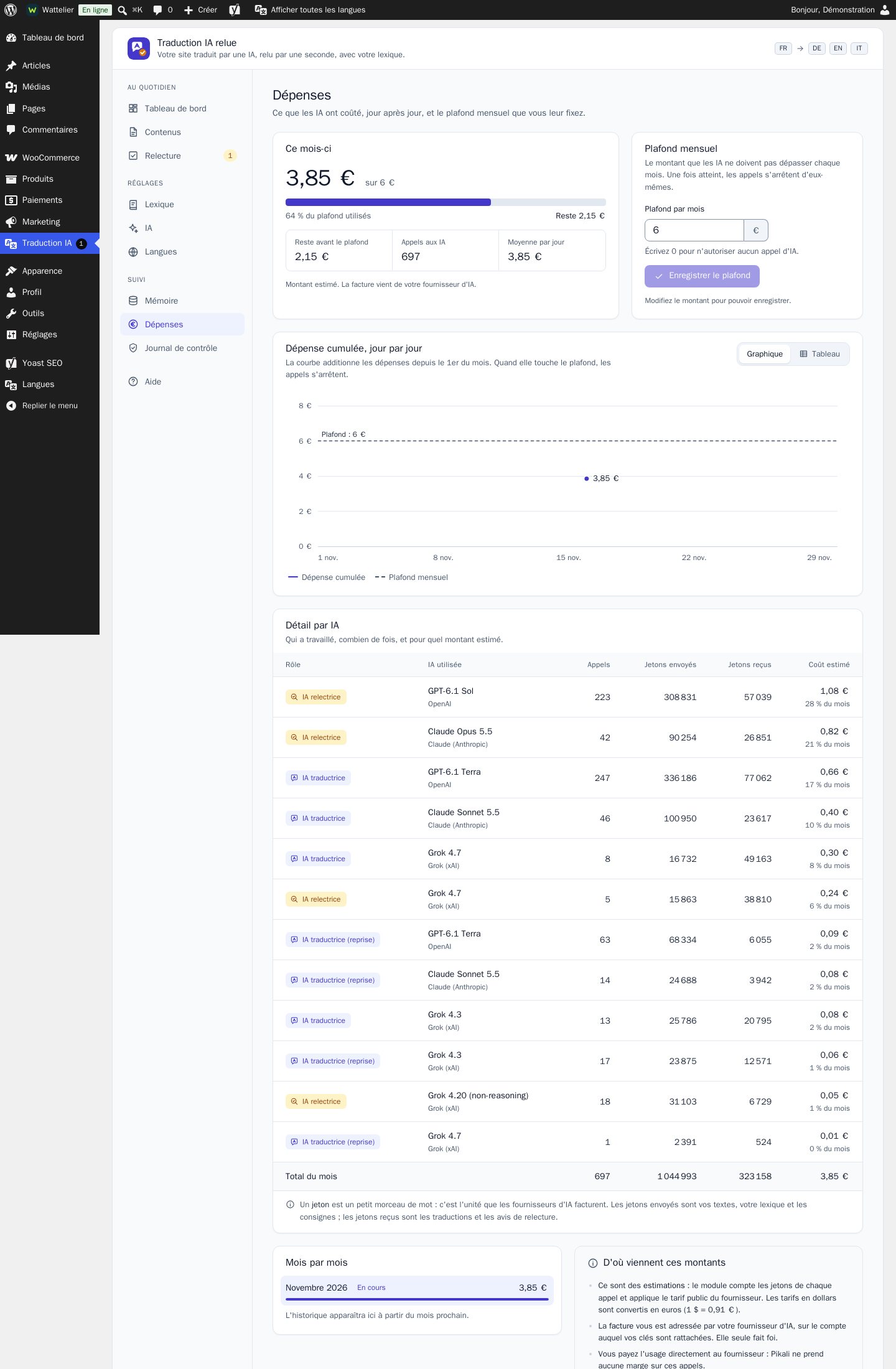
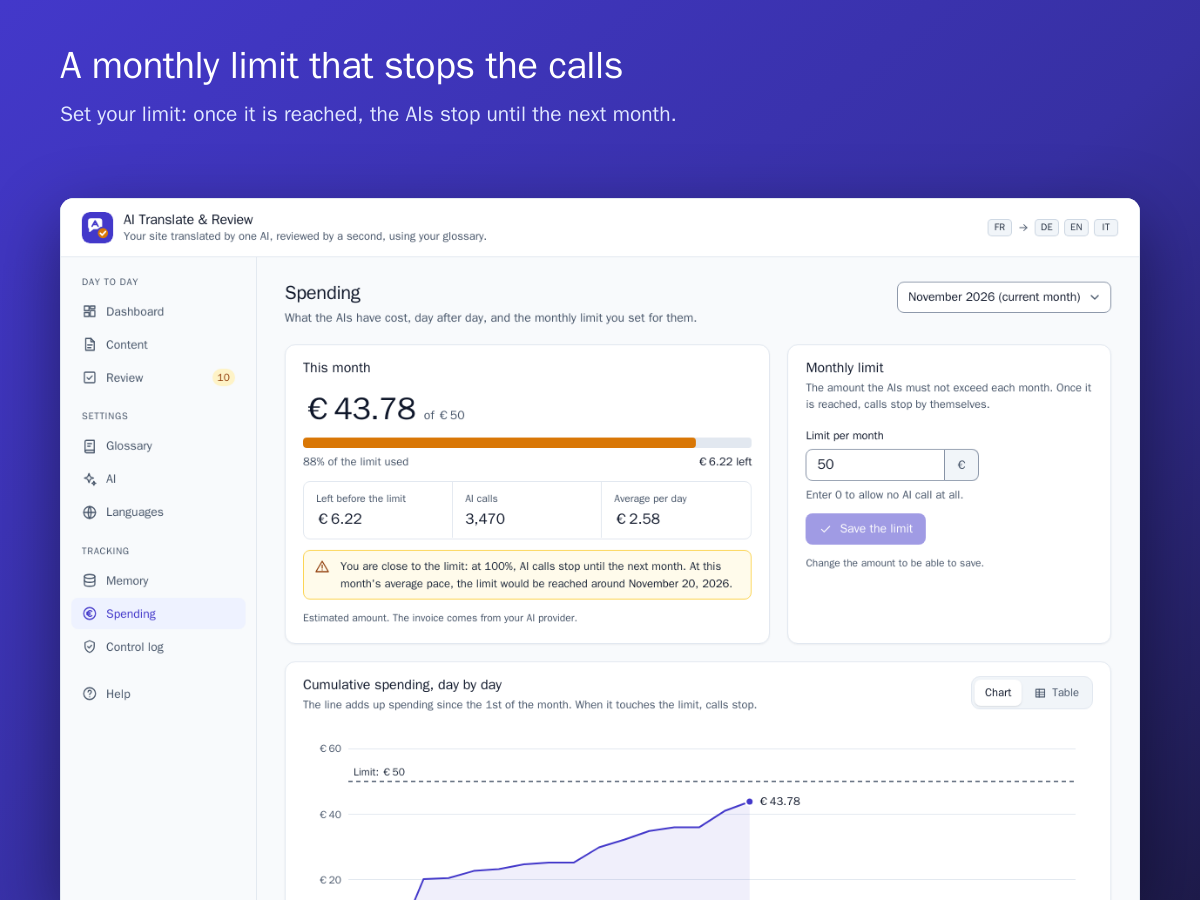
You pay your AI provider directly for what you use, with your own key: Pikali takes no margin on it. The cost depends on the provider and the models you choose. The module shows the spending of the month, call by call, and stops at the limit you set.
Yes, at any time, for the translator as for the reviewer. Sentences already approved stay in memory and are not translated again.
No more text is sent to the AIs and an alert shows in the module. Translations already online stay in place. Content on hold starts again by itself as soon as you raise the limit, or at the beginning of the next month.
No. Only the public texts of your site are sent. A control log shows, call by call, what went to your provider.
As many as you want. Each language added in the settings gets its addresses, its hreflang tags and its place in the language switcher, with nothing else to do.
It is kept in memory and reused: the AIs do not replace it. The same goes for a translation you typed yourself in Polylang.
Your translated content stays on your site: these are real pages and real products. Only the settings and the working data of the module are removed.
You pay your AI provider directly for what you use, with your own key: Pikali takes no margin on it. The cost depends on the provider and the models you choose. The module shows the spending of the month, call by call, and stops at the limit you set.
You open the installation link received with your order, choose your Wix site and accept the permissions. You then paste your licence key in the module screen. There is nothing else to install.
Yes, at any time, for the translator as for the reviewer. Sentences already approved stay in memory and are not translated again.
No more text is sent to the AIs and an alert shows in the module. Translations already online stay in place. Content on hold starts again by itself as soon as you raise the limit, or at the beginning of the next month.
No. Only the public texts of your site are sent. A control log shows, call by call, what went to your provider.
As many as you want. Each language added from the module screen gets its address, its hreflang tags and its place in the language menu of your site. Then publish your site from the Wix editor so that product pages follow.
It is kept as it is: a translation typed or edited by a person in Wix is never replaced by the AIs, even when the original changes.
Your translated content stays on your site: it is stored in Wix, and translated blog posts remain posts of your blog. The module simply stops translating, and your licence is released.
Try the demo, then install the module: add your languages, paste your AI key and start the translation of the site.
Choose my edition